

Description
- ABB PP865 3BSE042236R1 | Industrial TFT Display Configured via Panel Builder Software
Product Core Brief
- Model: PP865 3BSE042236R1
- Brand: ABB
- Series: Panel 800 Operator Panel
- Core Function: Real-time process monitoring and operator control for AC800M / 800xA control systems
- Type: Industrial Touch Screen HMI
- Key Specs: 15-inch TFT display; Resistive touch; 24 V DC power; Ethernet + serial communication
Condition: New Surplus, non-refurbished
⚠️ Original production discontinued by ABB, available stock limited
Product Introduction
Key Technical Specifications
| Parameter | Specification |
|---|---|
| Part Number | PP865 3BSE042236R1 |
| Product Family | Panel 800 Operator Panel |
| Display Size | 15-inch Color TFT LCD |
| Touch Type | 4-wire resistive touch screen |
| Resolution | 1024 × 768 XGA |
| Power Supply | 24 V DC (18 V ~ 32 V DC operating range) |
| Front Protection Rating | IP66 |
| Communication Ports | RJ45 Ethernet, RS232, RS422/485, USB |
| Storage Media | Internal Compact Flash card |
| Operating Temperature | 0 ℃ ~ +50 ℃ |
| Mounting Method | Cabinet cutout flush mounting |
| Programming Software | Panel Builder |
| Compatible Controllers | AC800M, System 800xA |
| Net Weight | Approx. 3.8 kg |
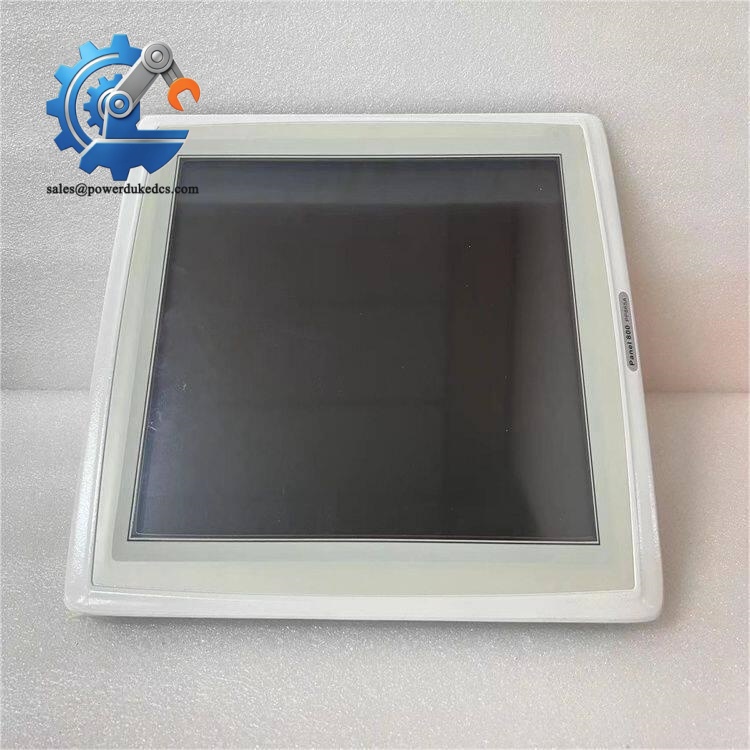
ABB PP865 3BSE042236R1
Installation & Configuration Guide
Phase 1: Pre-Installation (Estimated 12 min)
- Schedule downtime for HMI replacement; confirm control logic runs independently of the operator panel
- Disconnect 24 V DC power to the screen
- ESD protection is required during handling internal components
- Back up the HMI project file before removing the old unit
- ESD wrist strap
- Flat screwdriver
- Digital multimeter
- Mobile phone to record wiring and cutout dimensions
- Export the complete HMI project from existing PP865
- Photograph all communication cables and terminal wiring
- Verify cabinet cutout size matches PP865 mounting dimensions
Phase 2: Old Panel Removal (Estimated 10 min)
- Confirm power cable is fully disconnected
- Unplug Ethernet, serial and USB cables from rear ports
- Remove mounting clamps around the cabinet cutout
- Push the panel outward from inside the cabinet
- Inspect cabinet seal for aging or damage
Phase 3: New Panel Installation (Estimated 15 min)
- Wear ESD protection before unpacking PP865
- Visual inspection of touchscreen surface and rear connectors
- Insert the panel from outside the cabinet into the cutout
- Secure mounting clamps evenly to avoid uneven pressure on the display frame
- Reconnect power and communication cables following photos
[ ] Mounting clamps tightened evenly
[ ] Power polarity confirmed, no reverse connection risk
[ ] All communication cables locked firmly
[ ] No cables squeezed between panel and cabinet metal
Phase 4: Power-On & Commissioning (Estimated 20 min)
- Switch on 24 V DC power supply
- Observe boot sequence; confirm no hardware error alarms on startup
- Insert CF card or download project via Ethernet using Panel Builder
- Verify communication parameters match controller network settings
- Check screen touch response for all operating areas
- Monitor process values, alarms and control operations for 30 minutes
- Cannot connect to AC800M: Check IP address, subnet mask and network switch settings
- Touch unresponsive: Calibrate touch panel inside system menu
- Frequent screen blackout: Inspect 24 V DC power stability and loose terminals
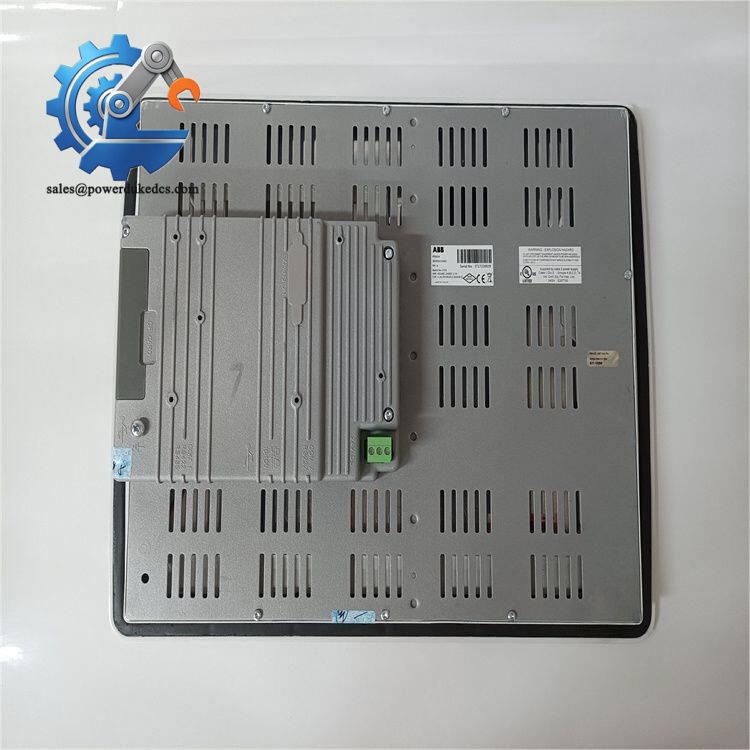
ABB PP865 3BSE042236R1
Frequently Asked Questions (FAQ)
-
What is the difference between PP865 3BSE042236R1 and PP865A 3BSE042236R2?
PP865 is the original version, while PP865A is the updated hardware revision. Mechanical dimensions are identical, but firmware and internal hardware differ. Direct swap requires project compatibility verification.
-
Can PP865 communicate with third-party PLCs?
It mainly targets ABB AC800M and 800xA systems. Limited Modbus communication is available, but full function support is only guaranteed for native ABB controllers.
-
Does this HMI support hot swap of the Compact Flash card?
Do not remove CF card while powered on. Online removal risks file corruption and project loss. Always power down first.
-
Can I replace PP865 with smaller Panel 800 models such as PP835?
Physically they cannot fit the same cabinet cutout. Project screens also need layout modification. Direct replacement without cabinet modification is not feasible.
-
How long is the backlight expected to last?
Typical rated lifespan is 50,000 hours. Visible brightness reduction means backlight aging, and spare touch overlay can be ordered separately.
-
What warranty terms apply to PP865 3BSE042236R1?
We provide 12-month warranty under standard industrial operating conditions. Damage caused by incorrect power wiring, mechanical impact, chemical corrosion or improper ESD handling voids warranty.
-
Is hot swapping allowed during plant operation?
Power can be disconnected online without affecting controller operation. But operators will lose screen visibility during replacement. Plan replacement during low-load periods.



 Start Chat


