

Description
- ABB PP865 | Factory Sealed Panel 800 Touch Display With 12 Months Warranty
Product Core Brief
- Model: PP865
- Brand: ABB
- Series: Panel 800 Version 5.1
- Core Function: Real-time process monitoring, parameter setting and operation control for AC800M automation systems
- Type: Industrial Touch Operator Panel (HMI)
- Key Specs: 15-inch TFT display; resistive touch screen; IP65 front panel; Ethernet, RS232/485, USB interfaces
- Condition: New Original, factory sealed, non-refurbished
Product Introduction
Many production sites face screen aging, communication dropouts and limited operating interfaces after long-term HMI operation. The ABB PP865 belongs to Panel 800 product portfolio, specially developed to work together with AC800M series controllers for factory and process industry automation.
It adopts a 15-inch wide viewing angle TFT screen and resistive touch design, which can still respond stably when operators wear work gloves. All communication circuits comply with industrial EMC standards to reduce interference in crowded control cabinets. Projects are programmed via Panel Builder 800 software. Its front panel reaches IP65 protection grade, suitable for cabinet door installation in dusty or humid workshop environments.
Key Technical Specifications
| Parameter Item | Technical Data |
|---|---|
| Product Series | ABB Panel 800 V5.1 |
| Display Size | 15-inch TFT LCD |
| Touch Type | Resistive single touch |
| Resolution | 1024 × 768 pixels |
| Power Supply | 24 V DC (19.2 V ~ 28.8 V) |
| Communication Ports | Ethernet (galvanic isolated), RS232/RS422/485, USB |
| Programming Software | Panel Builder 800 |
| Front Protection Class | IP65 |
| Operating Temperature | -20°C to +60°C |
| Storage Temperature | -40°C to +70°C |
| Mounting Method | Cabinet panel embedded installation |
| Compatible Controller | ABB AC800M series |
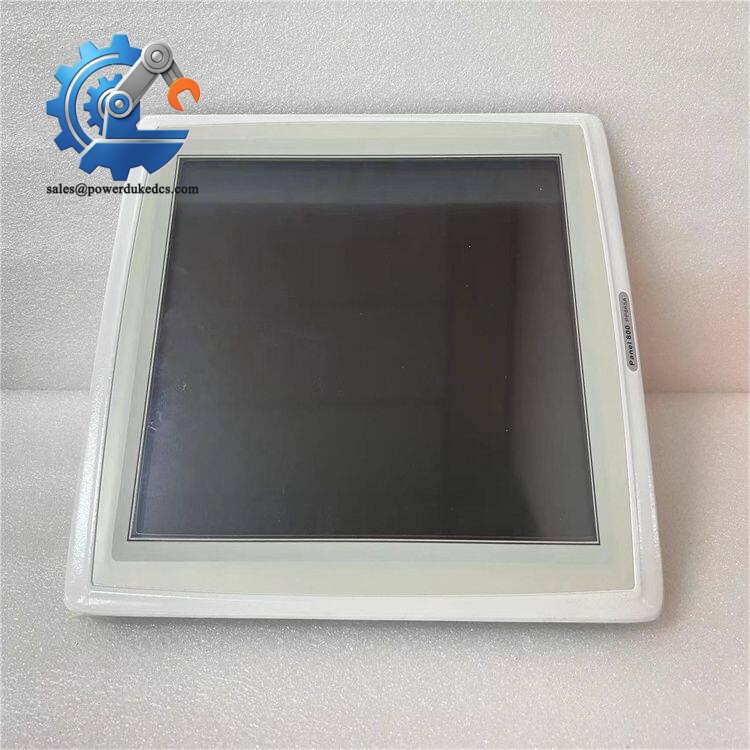
ABB PP865
Installation & Configuration Guide
Stage 1: Pre-Installation Preparation (10 mins)
Notify operators to stabilize running production processes. Cut off the 24V DC power supply of the existing HMI. Wait 3 minutes to discharge residual electricity inside the panel.
Prepare tools: ESD wrist strap, flat screwdriver, camera, multimeter. Back up the HMI project file to USB storage. Take photos of all communication cable sequences for wiring reference.
Stage 2: Old Panel Removal (12 mins)
Disconnect power cable, Ethernet cable and serial communication lines one by one and mark each wire. Loosen all mounting clamps fixed on the cabinet door. Take out the old PP865 slowly. Clean dust inside the cabinet cutout with compressed air.
Stage 3: New PP865 Installation (18 mins)
Put on anti-static equipment before unpacking. Check panel surface for scratch or screen damage. Place PP865 into the reserved cabinet cutout. Tighten mounting clamps evenly from four sides to avoid panel deformation.
Restore all cables strictly according to photographed records. Double-check power polarity; reversed power will trigger internal protection circuits.
Pre-power-on self-check: confirm firm installation, no cable extrusion, all connectors fully inserted.
Stage 4: Power-On & Project Download (25 mins)
Switch on 24V DC power and observe the startup boot screen. Connect engineering laptop via Ethernet. Set panel IP address to match control network segment.
Transfer the backup project file into through Panel Builder 800. After download completes, restart the HMI. Verify data exchange between and AC800M controller.
Run continuous monitoring for 30 minutes. Confirm no screen flicker, no communication disconnection and all alarm windows display normally.
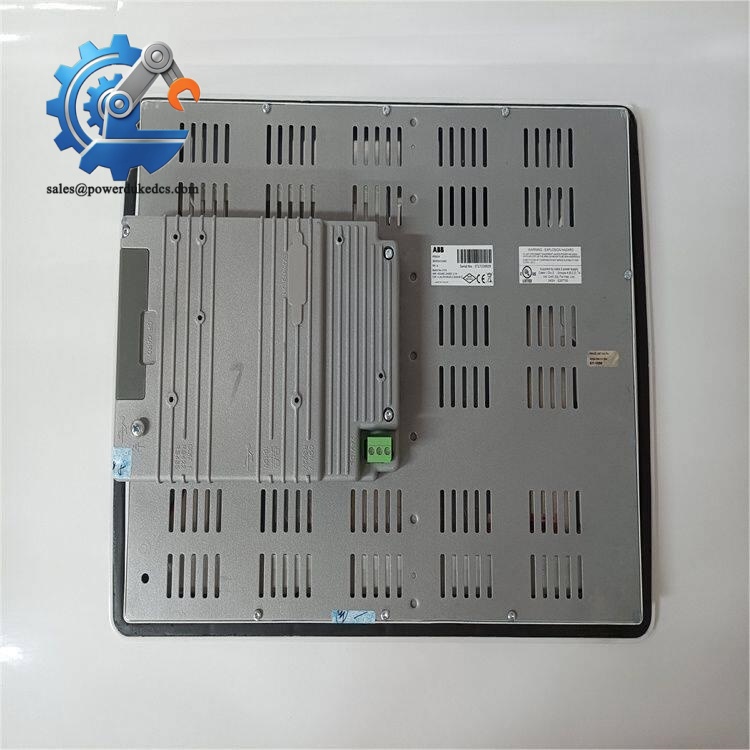
ABB PP865
Frequently Asked Questions (FAQ)
1. Is ABB compatible with all AC800M controllers?It supports all standard AC800M hardware. But watch out for controller firmware versions. Extremely old firmware may cause occasional data refresh delay. Matching firmware revision is recommended before replacement.
2. Can I use capacitive touch gloves to operate this panel?Not supported. uses resistive touch. It works with ordinary work gloves, stylus or bare fingers, but capacitive touch gestures cannot be recognized.
3. What cutout dimension do I need for cabinet installation?Follow official drawing size: 355.5 mm × 278.5 mm. Do not expand the cutout excessively; oversized openings will affect IP65 sealing performance.
4. Can the communicate with third-party PLC besides ABB controllers?It supports Modbus RTU and Modbus TCP protocols. Connection to third-party devices is achievable, but some advanced function libraries only take effect when paired with .
5. Communication fails right after replacement, what should I check first?Most faults come from inconsistent IP address or mismatched subnet mask. Verify network settings on HMI and controller. Confirm the Ethernet cable uses shielded wiring and single-point grounding.
6. Can I upgrade the internal operating system on site?On-site system upgrade is available via USB or Ethernet. Make sure to back up the project fully. Interrupted upgrade process may cause the panel unable to boot normally.



 Start Chat


