

Description
Product Core Brief
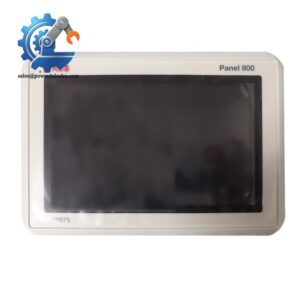
- Model: PP836A 3BSE042237R2
- Brand: ABB
- Series: Panel 800 Series
- Core Function: Provide local operation, process monitoring and alarm handling for AC800M / System 800xA
- Type: Operator Touch Panel (HMI)
- Key Specs: 8-inch TFT touchscreen, built-in physical shortcut keys, 24 V DC supply, Ethernet communication
- Condition: New Surplus, no installation traces
⚠️ Officially discontinued ABB hardware, limited available inventory
Product Introduction
Key Technical Specifications
| Parameter | Details |
|---|---|
| Full Order Code | PP836A 3BSE042237R2 |
| Manufacturer | ABB |
| Product Family | Panel 800 |
| Supported Control System | AC800M Controller, System 800xA |
| Display | 8-inch Color TFT Touch Screen |
| Control Input | Capacitive touch + integrated hard function keys |
| Supply Voltage | 24 V DC (19.2 V ~ 28.8 V) |
| Power Consumption | Max 22 W |
| Communication Ports | 1 × RJ45 Ethernet, serial expansion slot |
| Mounting Method | Panel cutout flush installation |
| Operating Temperature | 0 °C ~ +55 °C |
| Storage Temperature | -40 °C ~ +70 °C |
| Front Protection Grade | IP65 (properly mounted on cabinet door) |
| Configuration Software | Panel Builder 800 |
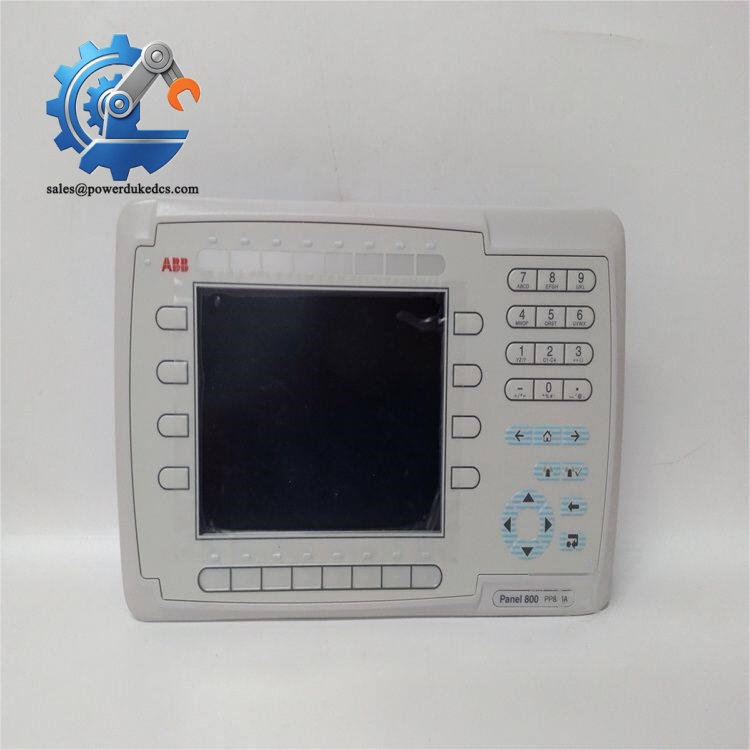
ABB PP836A 3BSE042237R2
Installation & Configuration Guide
Phase 1: Pre-Installation (Estimated time: 10 minutes)
- Inform operation team and arrange planned maintenance window
- Record critical process parameters before shutdown
- Cut off 24 V DC power supply connected to existing panel
- Allow 3 minutes for internal circuit capacitors to fully discharge
- ESD wrist strap and anti-static mat
- PH1 cross screwdriver
- Digital multimeter
- Mobile phone for photo documentation
- Cable labels for marking wiring terminals
- Export complete HMI project file to external storage
- Photograph network wiring, cable routing and panel mounting structure
- Write down existing panel IP address and communication parameters
Phase 2: Removal of faulty panel (Estimated time: 12 minutes)
- Mark Ethernet cable and power wires before disconnection to avoid wrong wiring
- Unscrew the four mounting fixing screws around the cutout frame
- Carefully pull the panel outward from cabinet door
- Unplug all rear connectors gently, do not pull cables with force
- Inspect cabinet cutout rubber sealing strip, replace if cracked or hardened
⚠️ Photograph all parameter labels attached to the back housing before discarding defective unit.
Phase 3: Install new PP836A panel (Estimated time: 15 minutes)
- Wear anti-static gear before unpacking the new panel from protective packaging
- Verify full part number PP836A 3BSE042237R2 matches the required spare
- Fit rubber gasket into the cutout frame to guarantee IP65 front protection
- Place panel into cabinet opening, evenly tighten four fixing screws (avoid over-tightening)
- Reconnect power cable and Ethernet line following pre-made labels
- Confirm all rear connectors are fully locked into position
[ ] Sealing gasket installed completely
[ ] All cables firmly plugged
[ ] No twisted wiring behind cabinet door
[ ] Mounting screws tightened uniformly
Phase 4: Power-On & Functional Testing (Estimated time: 35 minutes)
- Measure supply voltage: target value 24 V DC ±10%
- Confirm no short circuit between power terminals
- Switch on the 24 V DC power source
- Watch boot sequence: screen lights up, ABB logo appears and loads operating system
- Enter panel network settings, input identical IP address as old HMI
- Transfer backed-up Panel Builder project to PP836A
- Verify communication connection to AC800M controller
- Navigate through all operation screens, test touch response and physical hard keys
- Trigger test alarms to confirm alarm window pops up normally
- Keep continuous running for minimum 30 minutes without abnormal restarts
- Cannot connect to controller: Check IP segment, switch port and Ethernet cable integrity
- Touch function unresponsive: Calibrate touchscreen inside system setting menu
- Screen flickers: Inspect power line for voltage drop or poor terminal contact
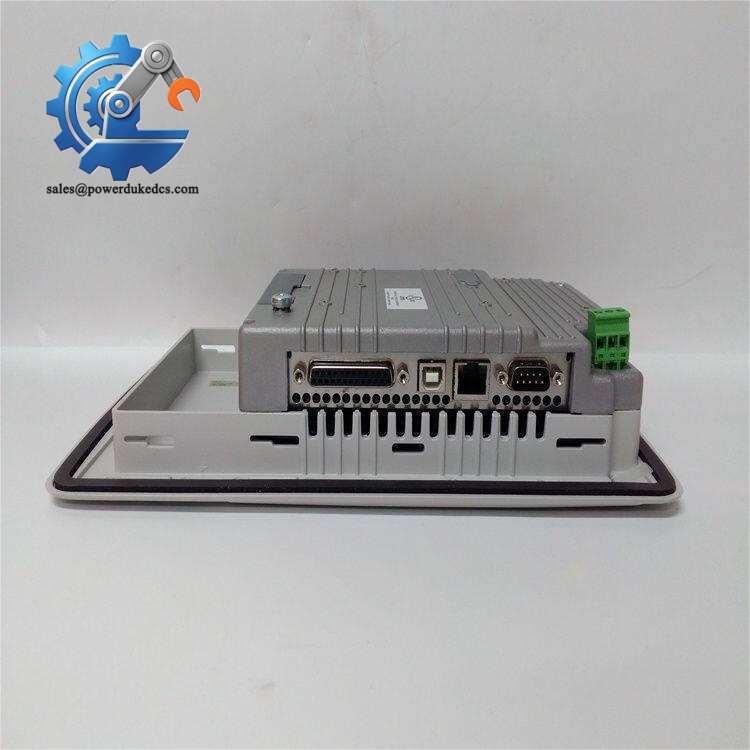
ABB PP836A 3BSE042237R2
Frequently Asked Questions (FAQ)
A: Yes, native Ethernet communication is supported. Match the network segment between panel and controller. No extra communication module is required for basic monitoring and control.
A: Direct swap is not always possible. Minor differences exist in hardware firmware and key mapping. Save a full backup before replacement and test all physical function keys after installation.
A: Available inventory is New Surplus goods. No field installation history. Every unit passes boot test, touchscreen calibration and communication inspection before delivery. Refurbished stock will be separately labelled if available.
A: Panel Builder 800 V5.0 or higher is recommended. Older software editions may fail to recognize this hardware variant. Confirm software revision before project download.
A: 12-month valid warranty starting on shipment date. Damage caused by incorrect wiring, surge voltage or ESD impact is not covered. We can share testing images or short operation video before order confirmation.
A: The hardware itself does not support live power replacement. Power disconnection during running will interrupt operator interface and cause temporary loss of local control access. Always cut power before disassembly.
A: Limited quantity on hand. Goods can be dispatched within 1–3 working days after confirmation. ABB has ended formal production, and replenishment cannot be guaranteed once existing stock sells out.



 Start Chat


