

Description
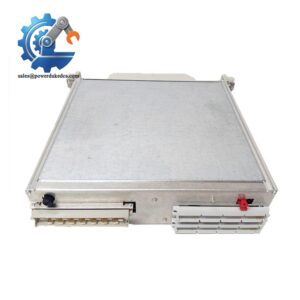
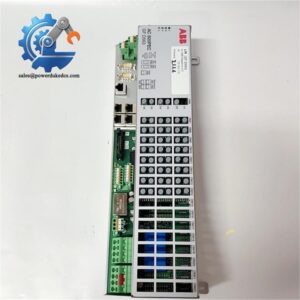
- ABB SPASI23 | DCS Field Signal Acquisition Card for Power & Chemical Process Plants
Product Core Brief
- Model: SPASI23
- Brand: ABB
- Series: Symphony Plus (Symphony / Bailey INFI90 DCS)
- Core Function: Collect multi-type analog sensor signals and convert data for DCS controllers
- Type: Universal Analog Input Module
- Key Specs: 16 isolated channels; Supports TC, RTD, mV signals; 24-bit A/D conversion
Condition: New Surplus, non-refurbished
⚠️ Original production discontinued by ABB, limited stock on hand
Product Introduction
Key Technical Specifications
| Parameter | Specification |
|---|---|
| Part Number | SPASI23 |
| Compatible System | Symphony Plus / Bailey INFI90 DCS |
| Channel Count | 16 analog input channels |
| Supported Signal Types | Thermocouple(TC), RTD, millivolt(mV) |
| ADC Resolution | 24 bit |
| Channel Isolation | Galvanic isolation per channel |
| Operating Supply | 24 V DC backplane power |
| Operating Temperature | -20 ℃ ~ +60 ℃ |
| Mounting Method | Standard Symphony rack vertical slot installation |
| Status Indicators | POWER LED, FAIL diagnostic LED |
| Net Weight | 0.77 kg |
| Dimension (W×H×D) | 272 mm × 361 mm × 74 mm |
| Protection Class | IP20, cabinet installation only |
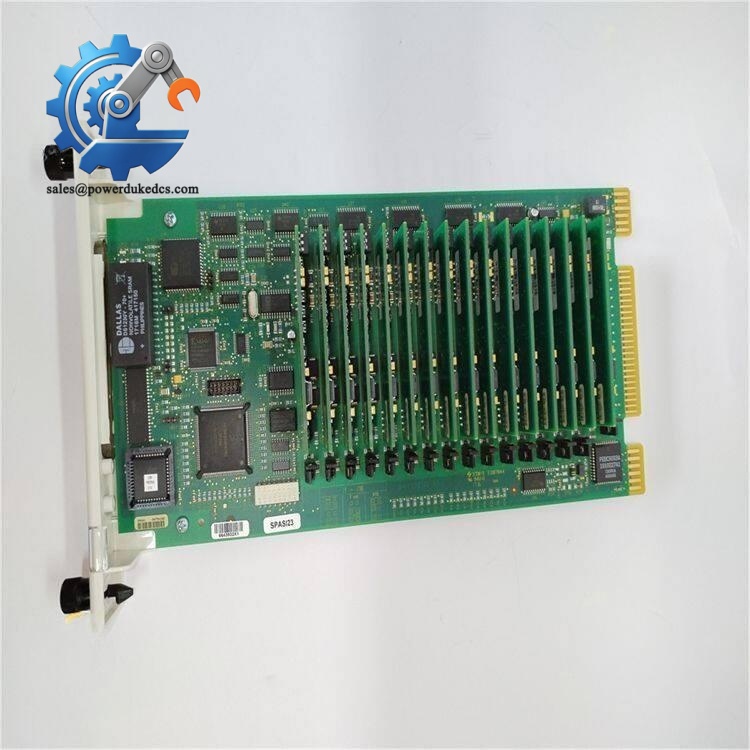
ABB SPASI23
Installation & Configuration Guide
Phase 1: Pre-Installation (Estimated 12 min)
- Schedule planned downtime and lock related process loops
- Cut power supply to the entire DCS rack assembly
- Wait minimum 5 minutes to discharge internal circuit capacitors
- ESD protection is mandatory during all module handling
- ESD wrist strap and anti-static work mat
- PH1 cross screwdriver
- Digital multimeter
- Mobile phone for capturing wiring layout and front panel settings
- Export current DCS configuration archive
- Take clear photos of all field wiring terminals connected to the module
- Record module slot position inside the rack to avoid misplacement
Phase 2: Old Module Removal (Estimated 12 min)
- Confirm rack power is fully disconnected
- Label each field cable terminal before disconnection
- Unscrew wiring terminals and separate all sensor cables
- Loosen the two locking knobs on the module front panel
- Pull the module straight outward from the rack backplane
- Inspect backplane connector pins for oxidation or bending
Phase 3: New Module Installation (Estimated 15 min)
- Wear ESD wrist strap before unpacking SPASI23
- Visual inspection: check PCB surface, components and edge connector
- Align the module with rack guide rails and insert horizontally
- Push fully into the slot, tighten front locking knobs securely
- Restore field wiring strictly following photographed records
- Double-check all terminal screw torque to prevent loose connections
[ ] Module fully engaged with backplane connector
[ ] All sensor wiring terminated correctly
[ ] No stray wire strands creating short-circuit risk
[ ] Unused channels properly insulated
Phase 4: Power-On & Commissioning (Estimated 22 min)
- Restore rack DC power supply
- Observe front panel LED: steady POWER light means normal power feed
- Launch DCS engineering tool to scan hardware configuration
- Confirm the system recognizes SPASI23 correctly
- Verify channel type configuration matches connected sensors (TC/RTD/mV)
- Monitor live measurement values for each channel
- Run continuous monitoring for 30 minutes to confirm no diagnostic alarms
- FAIL LED illuminated: Check backplane contact or module hardware fault
- Abnormal temperature readings: Verify sensor wiring polarity and channel configuration
- Random signal drift: Check shielding grounding of field sensor cables
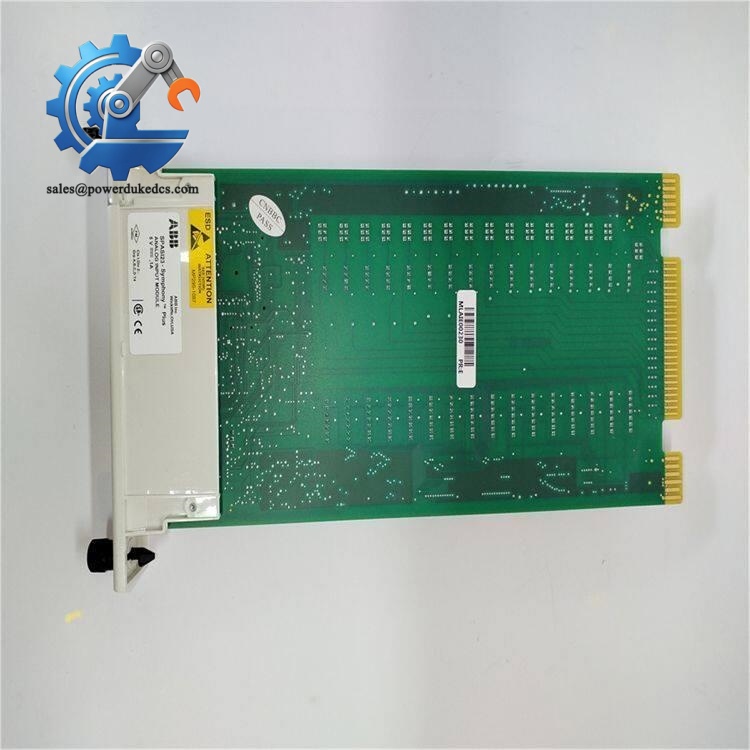
ABB SPASI23
Frequently Asked Questions (FAQ)
-
Can SPASI23 directly replace IMASI23?
Mechanical fit is identical. Minor firmware and configuration differences exist on some DCS software revisions. Validate configuration parameter mapping before commissioning to avoid signal reading errors.
-
Does this module support hot swap during running operation?
The hardware allows hot extraction, but removal will interrupt all 16 analog input channels. Unplanned online replacement triggers process alarms. Carry out swap during scheduled shutdowns.
-
Which sensors can connect to SPASI23 channels?
Suitable for RTD temperature probes, all standard thermocouple types and millivolt output sensors. It cannot accept standard 4–20 mA transmitters directly.
-
What causes unstable readings on temperature channels?
Poor shielding, reversed sensor wiring or ground loops between field equipment and control cabinet. Route sensor cables separately from high-power AC cables to reduce electromagnetic interference.
-
How long is the warranty for SPASI23?
We provide 12-month warranty under standard industrial operating conditions. Damage caused by incorrect wiring, surge voltage or ESD will void warranty coverage.
-
Can I mix SPASI23 with other analog modules in one Symphony rack?
Yes. The Symphony rack supports mixed I/O module types. Always confirm total rack power consumption does not exceed the backplane power supply rating.
-
Is technical documentation available for SPASI23?
We can share official datasheet and wiring reference after order confirmation. All parameter settings should be cross-referenced with original ABB operation manual.



 Start Chat


