

Description
- ANSALDO VP32502X Embedded Processor | Power Generation & Railway Automation Spare Part
Product Core Brief
- Model: VP32502X
- Brand: ANSALDO (Alstom legacy platform)
- Series: VMEbus Single Board Computer Series
- Core Function: Execute real-time control algorithms and data processing for VME-based industrial systems
- Type: VME Single Board Computer (SBC)
- Key Specs: Intel Pentium M 1.6GHz, 3U VME form factor, PMC expansion slot, CompactFlash storage support
- Condition: New Surplus, non-refurbished unit
- Status: ⚠️ Officially discontinued, limited genuine spare inventory
Product Introduction
When the main processing board fails on legacy ANSALDO VME control racks, entire production or signaling systems risk unplanned shutdown. The VP32502X serves as the primary computing core for these aging embedded architectures. This single-slot VME SBC runs real-time operating systems to handle loop control, field data exchange and upper-level system communication.
Built for continuous operation under harsh industrial vibration and temperature fluctuation, the hardware follows strict military and industrial EMC standards. It sees widespread deployment in power converter systems, railway signaling equipment and heavy industry process control racks. The standardized 3U VME mechanical footprint fits existing chassis without mechanical modification. Field operators value its native VME bus compatibility, which avoids costly rack rewiring during component swap.
Key Technical Specifications
| Parameter Item | Technical Value |
|---|---|
| Full Part Number | VP32502X |
| Device Type | VMEbus Single Board Computer (SBC) |
| Processor | Intel Pentium M 1.6 GHz |
| Form Factor | 3U VME single-slot card |
| Expansion Interface | PMC mezzanine slot |
| Local Storage | CompactFlash socket |
| Supported OS | VxWorks, RTEMS and other industrial RTOS |
| Operating Temperature | -20 °C ~ +70 °C |
| Mounting Standard | Eurocard VME rack insertion mounting |
| Reference Reliability | MTBF ≥ 42,000 hours under rated operating conditions |
| Communication | Onboard Ethernet, serial interfaces |
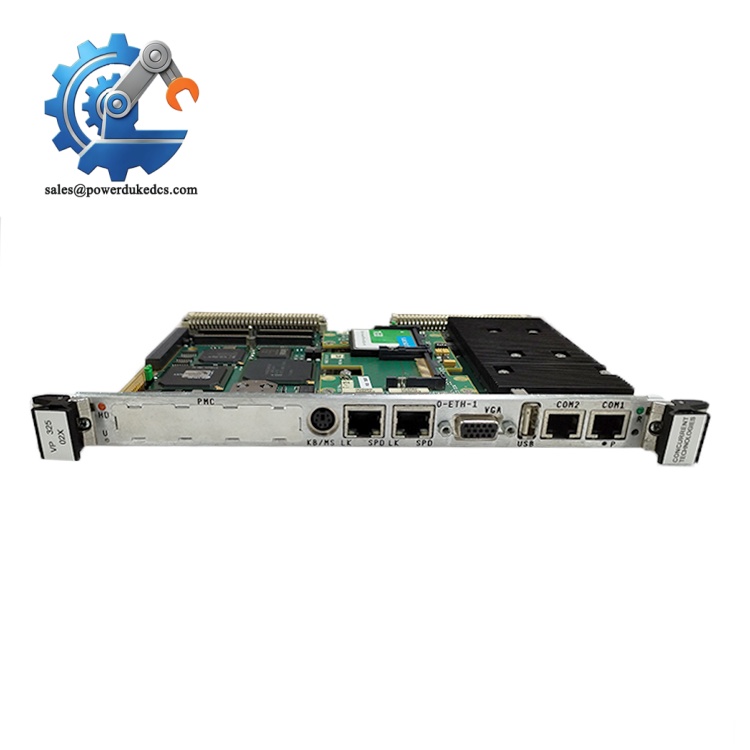
ANSALDO VP32502X
Installation & Configuration Guide
Phase 1: Pre-Installation Preparation (12 Minutes)
⚠️ Safety Priority Notify operation teams and place related equipment into safe stop status. Cut power to the entire VME rack, disconnect primary power feed. Allow minimum 5 minutes for internal capacitors to discharge completely.
Tool Preparation ESD anti-static wristband and anti-static mat, PH1 cross screwdriver, multimeter, mobile phone for photo recording, marker labels.
Recording & Backup Capture clear photos of board slot location, front panel connectors and wiring layout. Export all runtime programs, configuration files and firmware images to secure storage. Document existing IP addresses and bus node parameters.
Phase 2: Old Board Removal (8 Minutes)
- Label all front-panel cables before disconnection to prevent wiring mismatch.
- Loosen cable fasteners gently and detach external communication lines.
- Release the front panel locking latches on both sides of the module.
- Pull the board straight outward horizontally; avoid twisting to protect VME backplane gold contacts.
- Inspect backplane pins for bending, oxidation or dust. Clean lightly with dry compressed air if contaminated.
⚠️ Critical Reminder: Static discharge can permanently damage onboard CPU and memory chips. Never touch PCB traces or integrated circuits directly.
Phase 3: New Module Installation (15 Minutes)
- Wear anti-static gear before removing VP32502X from ESD shielding packaging.
- Double-check model marking to confirm hardware matching requirements.
- Align the board with VME rack guide rails, push horizontally until the backplane connector fully seats. Lock front panel latches securely.
- Reconnect all front panel cables strictly following photographed records. Secure cable fixing screws with moderate torque.
Self-Check List [ ] Module fully locked within VME rack slot [ ] All external communication cables fastened [ ] No loose wiring inside the cabinet [ ] No leftover tools inside the control rack
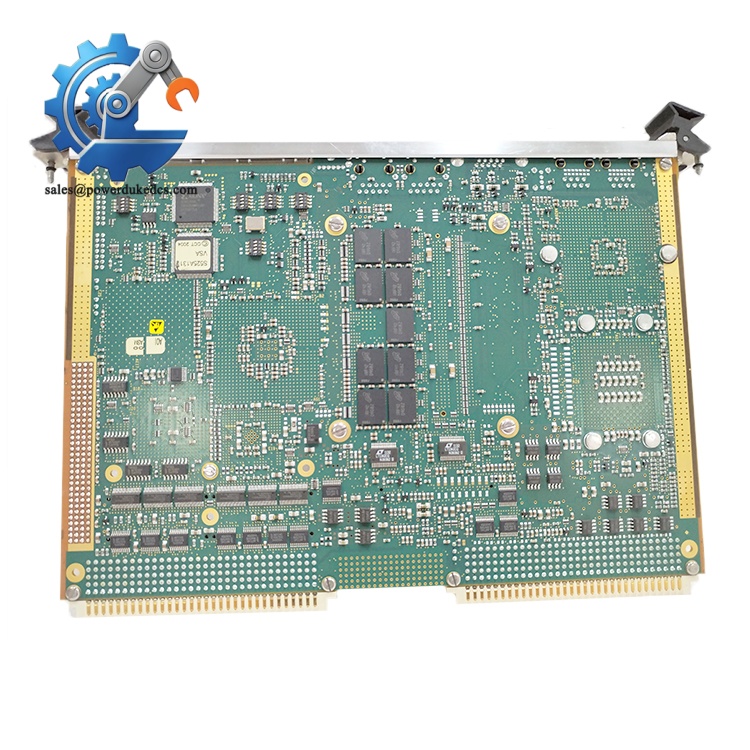
ANSALDO VP32502X
Phase 4: Power-On & Functional Testing (20 Minutes)
Use multimeter to rule out short circuits before restoring rack power. Energize the rack gradually. Observe onboard status LEDs during boot sequence. Connect engineering software to verify network detection. Load backup firmware and control configuration files. Complete boot sequence and switch to run mode. Run continuous communication tests with peripheral I/O boards and upper monitoring systems. Maintain stable operation for over 30 minutes, confirm no unexpected resets or communication dropouts. Log replacement date, serial number and test outcomes into equipment maintenance records.
Troubleshooting Tips
- Boot freeze or no network access: Verify CompactFlash integrity and firmware compatibility
- Intermittent system crash: Inspect backplane contact condition and cabinet cooling airflow
Frequently Asked Questions (FAQ)
1. Can I hot-swap ANSALDO VP32502X while the VME rack stays powered? Hot swapping is not supported. Removing the processor board interrupts the VME bus, triggers system faults and may corrupt runtime data or onboard storage. Full power-off replacement remains the only safe maintenance procedure.
2. Does VP32502X require firmware matching after physical replacement? Yes. Firmware and OS image revision must align with your existing system architecture. Mismatched versions lead to bus communication failures or incomplete peripheral recognition. Always back up the original firmware before replacement.
3. Are there direct pin-compatible alternative boards if VP32502X stock runs out? Truly drop-in compatible substitutes are extremely limited. Most newer VME SBC models have different resource mapping and boot architectures. Facilities relying on this hardware should schedule last-time-buy procurement while genuine stock remains available.
4. What quality tests do you perform before shipment of VP32502X? Every unit passes visual inspection, continuity testing, boot verification, network communication test and 24-hour continuous burn-in testing. We can provide test photos or video records upon request, and each unit comes with standard warranty coverage.
5. Why do VME single board computers suffer thermal-related failures in poorly ventilated cabinets? The onboard Pentium M processor generates steady heat during operation. Blocked airflow causes prolonged overheating, accelerating capacitor aging and triggering random system resets. Regular cabinet fan maintenance prevents premature hardware failure.
6. Is ANSALDO still producing VP32502X? This VME SBC has reached official end-of-life. No new factory production is available. Current supply consists of genuine new surplus inventory. Asset teams with long-term operating legacy systems need to plan spare part inventory ahead.



 Start Chat


