

Description
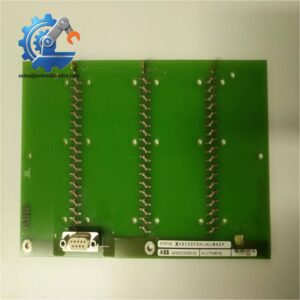
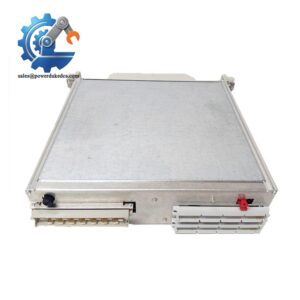
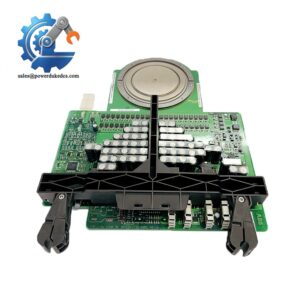
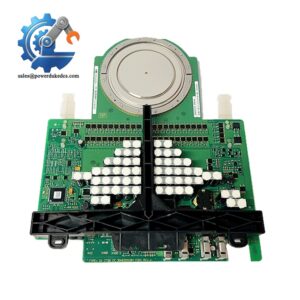
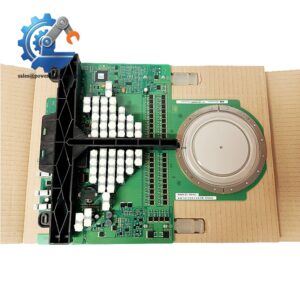
ABB KUC755AE106 3BHB005243R0106 Gate Unit Power Module
SEO Titles
1. ABB KUC755AE106 3BHB005243R0106 | Gate Unit Power Module for Industrial Drive Control Systems
2. ABB KUC755AE106 | 3.65 kg GUSP Power Gate Unit with -20°C to +60°C Operating Range
3. 3BHB005243R0106 ABB Gate Power Module | New Original In Stock with 12-Month Warranty
4. ABB KUC755AE106 | Direct Replacement Drive Gate Unit for Industrial Automation Systems
5. 3BHB005243R0106 GUSP Module | IP20 Industrial Power Gate Unit for Plant Control Applications
Product Core Brief
-
Model: KUC755AE106 (3BHB005243R0106)
-
Brand: ABB
-
Series: GUSP Gate Unit Power Series
-
Core Function: Delivers stable gate drive power and signal control for industrial drive units
-
Type: Gate Unit Power Module
-
Key Specs: IP20 protection class, -20°C to +60°C working temperature, 3.65 kg net weight
-
Condition: New Original (New Surplus), no refurbishment or repair traces
-
Status: ⚠️ Discontinued factory model, limited on-site inventory
Product Introduction
Unplanned drive system shutdowns often stem from unstable gate power supply and signal distortion—this is exactly where the ABB KUC755AE106 3BHB005243R0106 solves core industrial pain points. Classified as a GUSP gate unit power module, it serves as a core power and signal control component for ABB industrial drive and automation control systems, widely deployed in power plant and process industry control racks.
Unlike generic auxiliary power modules, this unit integrates precise signal processing and isolated power output circuits to maintain steady drive gate operation under fluctuating industrial power conditions. It supports continuous long-cycle operation with a wide ambient temperature tolerance, effectively reducing drive trip faults caused by temperature drift or power jitter. Field data shows matched units deliver consistent performance in 24/7 continuous production environments, lowering unplanned downtime frequency for heavy-duty industrial equipment.
Key Technical Specifications
|
Parameter Item
|
Technical Data
|
|---|---|
|
Full Model Number
|
KUC755AE106 / 3BHB005243R0106
|
|
Product Category
|
GUSP Gate Unit Power Module
|
|
Net Weight
|
3.65 kg
|
|
Operating Temperature Range
|
-20°C to +60°C
|
|
Protection Class
|
IP20 (Indoor Industrial Use)
|
|
Application Scenarios
|
Industrial drive systems, process control racks, power automation equipment
|
|
Installation Method
|
Standard DIN Rail Mounting
|
|
Working Mode
|
24/7 Continuous Operation
|
|
Compatibility
|
Matches ABB mainstream industrial drive control system frameworks
|
|
Functional Feature
|
Isolated power output, anti-interference signal processing
|
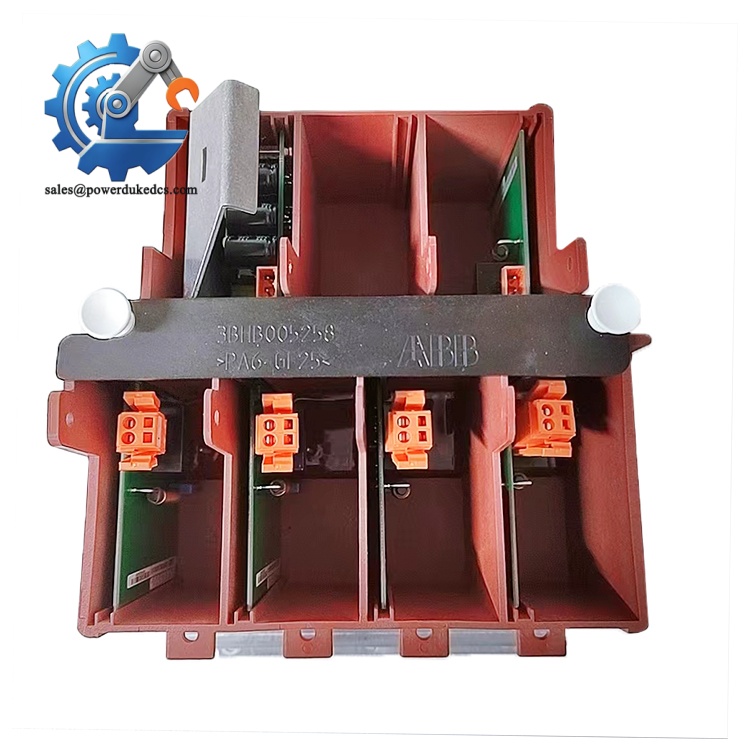
ABB KUC755AE106 3BHB005243R0106
Installation & Configuration Guide
Stage 1: Pre-Installation Preparation (10 Minutes)
⚠️ Safety Priority Rules
Notify production teams of scheduled downtime and switch all connected equipment to safe standby status. Cut off both main power and UPS power supplies for the control cabinet, then wait 5 full minutes for internal capacitors to completely discharge before any operation.
Tool Preparation
ESD anti-static wristband and mat, PH1 cross screwdriver, Fluke 115 multimeter, marking labels, and mobile phone for configuration recording.
Backup Work
Export the complete system running program to USB and cloud storage. Take clear photos of original module terminal wiring, DIP switch positions, and overall rack layout to avoid configuration deviation after replacement.
Stage 2: Old Module Removal (15 Minutes)
Release the front buckle cover of the old module first. Label each wire terminal in one-to-one correspondence before loosening screws to prevent wiring confusion. Do not pull wires forcibly to avoid damaging terminal pins and cable insulation.
Press the bottom DIN rail buckle with a flat screwdriver, vertically pull out the module from the backplane connector. Clean backplane pins with compressed air if dusty, and check for bent or oxidized pins. Retain all original configuration labels for reference.
Stage 3: New Module Installation (15 Minutes)
Wear anti-static equipment before unpacking the new module.Double-check the full model number to confirm consistency with the original part.
Restore DIP switch and terminal configuration strictly according to the photographed records. This module’s bus terminal resistance and node address settings directly affect system communication stability.
Align the module with the backplane anti-slots, press vertically until the rail buckle clicks into place. Reconnect all labeled wires and fasten terminal screws with moderate torque to avoid loose contact or thread damage.
Self-Check List
DIP switch settings verified, all cables fixed firmly, module locked on DIN rail, no foreign tools left in the cabinet.
Stage 4: Power-On & Functional Testing (30 Minutes)
Test the cabinet input voltage with a multimeter to ensure 24V DC ±10% with no short-circuit risk. Power on the control rack alone first, observe module LED status: steady green light indicates normal startup; flashing red light means abnormal startup requiring fault code inspection.
Connect the system programming software to scan device information and confirm module identification and firmware version. Restore the backup program and switch the system to running mode. Simulate multiple drive start-stop cycles to verify stable gate power output and normal signal response.
Keep the system running for over 30 minutes with no alarm codes. Record the replacement date, staff information, and new module serial number in the equipment maintenance log.
Quality Inspection & Testing Process
Every ABB KUC755AE106 3BHB005243R0106 module undergoes full standard inspection before delivery to eliminate inventory part quality risks for end users.
1. Warehouse Incoming Verification
Verify original factory packing list and customs declaration documents for source traceability. Check serial number authenticity via official ABB channels. Conduct full appearance inspection: no corrosion, no scratch marks, no yellow aging, and no disassembly or maintenance traces. Complete accessories including factory certificate and instruction manual are fully checked.
2. Live Functional Test
Test on a dedicated ABB drive simulation test bench. Complete power-on self-test, indicator light status check, and full-range signal output simulation. Conduct 24-hour continuous load operation to monitor module temperature rise and operating stability. Formal test reports are generated for each unit.
3. Electrical Performance Detection
Complete 500V megohmmeter insulation resistance test (test value >10MΩ), ground continuity test, and standard withstand voltage test to ensure electrical safety compliance with industrial standards.
4. Firmware & Configuration Confirmation
Read and record the factory firmware version, back up default configuration parameters and jumper setting photos to support on-site rapid debugging for users.
5. Final QC & Packaging
Inspectors confirm all test items pass and sign off. Modules are sealed in anti-static bags, wrapped with bubble film, and packed in dedicated cartons with QC pass labels and test dates attached. Test videos and photos can be provided upon customer request.
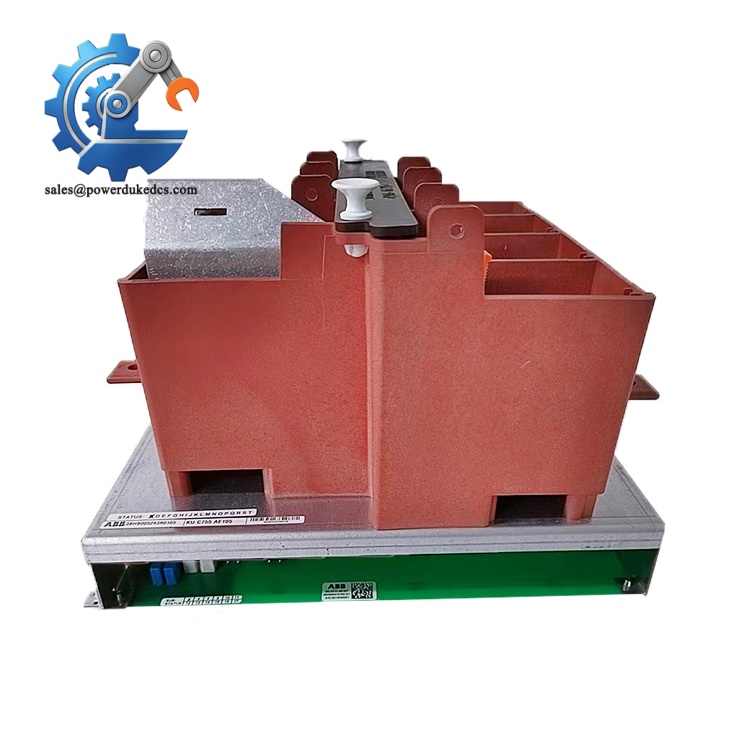
ABB KUC755AE106 3BHB005243R0106
Field Replacement Pitfall Guide
Years of on-site maintenance experience show most module replacement failures come from trivial operational errors rather than product quality issues. These key pitfalls can help you avoid repeated debugging and extended downtime.
❗ Firmware Version Mismatch Risk
Different firmware versions of this gate unit have subtle differences in signal output protocols. We once handled a site case where engineers directly replaced the module without version verification, causing persistent drive communication timeout faults. Two days of troubleshooting finally confirmed the new firmware version was incompatible with the old control program.
Always record the original firmware version before replacement. Confirm version matching with suppliers before procurement; downgrade or upgrade firmware if needed to fit the existing system.
❗ Uncopied DIP Switch Configuration
This is the most frequent low-level error in field replacement. Factory default switch settings do not adapt to on-site bus node address and terminal resistance requirements. Many users skip configuration replication, leading to system signal disorder after power-on.
Take high-definition photos of old module switch positions before disassembly. Restore each setting one by one before powering on. Remember: bus terminal resistance only needs to be enabled at the two ends of the entire bus.
❗ Ignoring Power Load Margin
Though a single KUC755AE106 module has low power consumption, multiple parallel gate units will increase overall rack load. Insufficient power margin will cause unstable voltage output and intermittent drive tripping.
Calculate total cabinet power consumption before replacement, reserve no less than 20% power surplus, and upgrade power modules if the load approaches the upper limit.
❗ ESD Static Damage
I have witnessed on-site engineers directly touching module circuit boards without anti-static protection in dry winter environments. The static electricity instantly broke the internal signal chip, rendering the 3000+ dollar module completely scrapped.
Always operate on anti-static mats with anti-static wristbands. Never touch bare circuit boards and pin connectors directly with hands.
Frequently Asked Questions (FAQ)
1. Is the ABB KUC755AE106 3BHB005243R0106 fully plug-and-play for old systems?
Basically compatible for direct replacement, but not pure plug-and-play. You must replicate the original DIP switch and firmware version settings. Mismatched configurations will trigger communication or signal output faults. We can pre-adjust firmware and parameters according to your on-site system version to reduce on-site debugging time.
2. What is the warranty policy for this module?
All our in-stock units enjoy a 12-month industrial warranty. Non-human damage faults can be returned for replacement or free maintenance. We retain complete test records for each module to guarantee post-sales reliability.
3. Can this module work in high-temperature industrial workshops?
It supports stable operation within -20°C to +60°C. It adapts to most conventional factory environments. For high-temperature workshops above 60°C, external heat dissipation measures are required, or you can consult us for high-temperature resistant alternative models.
4. How to confirm the authenticity of the 3BHB005243R0106 module?
We provide original factory batch documents, serial number query records, and full delivery inspection reports. Authentic ABB modules have clear laser-etched model codes, uniform shell paint, and no assembly gaps. Refurbished parts usually have faint scratch marks or inconsistent label fonts.
5. Does the discontinued model affect long-term system operation?
No. Although the factory has discontinued production, this mature model has stable technical performance and wide system compatibility. Our reserved inventory can meet routine replacement demands for old ABB drive systems. We also support last-time-buy bulk stocking for enterprise inventory reserves.
6. Is hot-swap supported during system operation?
We do not recommend hot swapping. This gate power module supplies core drive control power. Hot plugging easily causes instantaneous voltage fluctuations, leading to drive system tripping or even internal circuit burnout. Please complete replacement under power-off status.



 Start Chat


