

Description
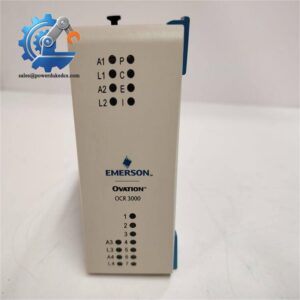
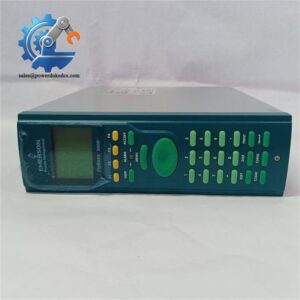
- Emerson 5X00226G04 | Rack Mount I/O Bus Module for Boiler & Turbine Monitoring Platform
Product Core Brief
- Model: 5X00226G04
- Brand: Emerson
- Series: Ovation DCS System
- Core Function: Establish data transmission between Ovation controllers and remote Q-Line I/O subracks
- Type: Remote I/O Interface Controller
- Key Specs: Supports one Q-Line I/O node; 24 V DC power; Onboard diagnostic LED indicators Condition: New Surplus, not refurbished ⚠️ This module is end-of-life by original manufacturer, available stock is limited.
Product Introduction
Unstable communication between main controllers and distributed I/O racks creates frequent data loss alarms on power generation units. The Emerson 5X00226G04 acts as dedicated bus interface hardware built for Ovation DCS architecture.
This module manages polling and data exchange for remote I/O subrack clusters over Q-Line bus. It buffers field signal data and transmits packaged information to the main Ovation controller, isolating bus faults to avoid full system communication collapse. It supports hot standby redundancy configuration, delivering bumpless switchover during component failures. Field units in thermal power plants rely on this interface to maintain steady acquisition of boiler and turbine analog and discrete signals.
Key Technical Specifications
| Parameter | Details |
|---|---|
| Full Part Number | 5X00226G04 |
| Platform | Emerson Ovation DCS Distributed Control System |
| Module Type | Remote Q-Line I/O Interface Controller |
| Supported I/O Node | Maximum 1 Q-Line subrack node (48 I/O cards) |
| Power Supply | 24 V DC |
| Operating Temperature | 0 °C ~ +60 °C; Storage: -40 °C ~ +85 °C |
| Mounting Method | Standard Ovation rack slot installation |
| Diagnostic Indicators | Power, Link, Fault LED status lights |
| Communication Bus | Ovation proprietary Q-Line I/O bus |
| Application Scenarios | Thermal power plants, combined cycle units, chemical process control |
| EMC Compliance | Meets industrial IEC 61000 standards |
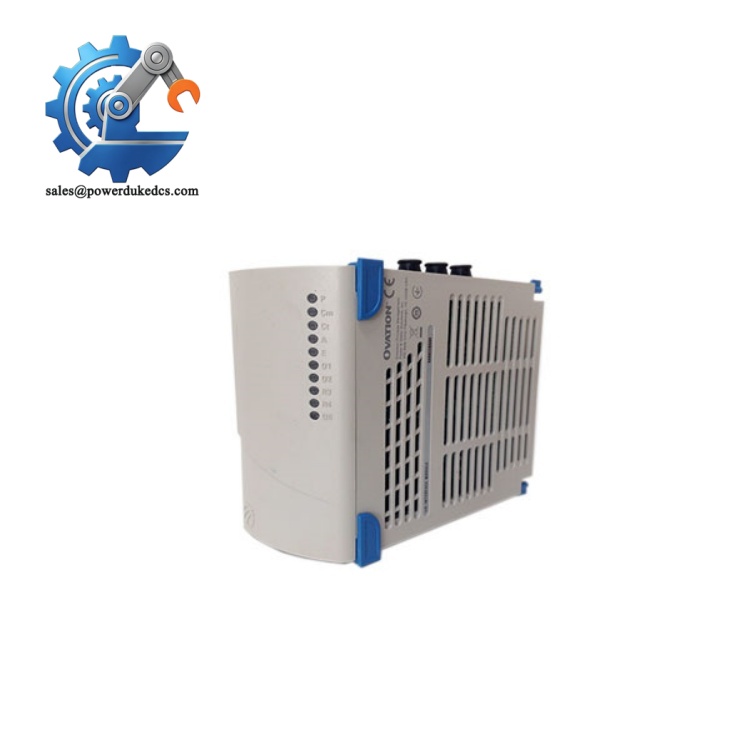
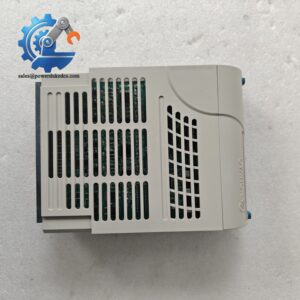
Emerson 5X00226G04
Installation & Configuration Guide
Phase 1: Pre-Installation (Estimated: 12 minutes)
⚠️ Safety Reminders
- Coordinate operation team to lock relevant control loops and schedule maintenance window.
- Prepare for possible temporary loss of field I/O signals; avoid execution during normal load operation.
- Prepare ESD protection to prevent static damage to circuit boards.
Tools to prepare
- Anti-static wrist strap and anti-static mat
- PH1 cross screwdriver
- Digital multimeter
- Mobile phone for recording wiring and slot position
- Label marker for cable marking
Backup work
- Export complete Ovation system database and controller configuration.
- Take clear photos of existing module backplane connection and bus wiring layout.
Phase 2: Remove Old Interface Controller (Estimated: 11 minutes)
- Confirm control rack power is fully disconnected. Wait no less than 5 minutes for capacitor discharge.
- Unplug Q-Line bus communication cables one by one, mark wire positions according to photos.
- Loosen front panel locking screws, pull the module straight outward horizontally. Do not twist the board.
- Inspect backplane edge connectors for bent pins, oxidation or accumulated cabinet dust.
⚠️ Twisting during extraction easily damages backplane pins, which triggers permanent communication failure.
Phase 3: Install New Module (Estimated: 17 minutes)
- Wear anti-static wrist strap before removing unit from anti-static packaging.
- Double-check part number to confirm 5X00226G04 matches replacement requirement.
- Align module with rack guide rails, push evenly until the backplane connector fully seats.
- Tighten front panel screws evenly, avoid over-tightening which deforms PCB.
- Restore Q-Line bus cables strictly following photo records.
Self-check checklist [ ] Module part number fully verified [ ] Q-Line bus wiring direction matches original layout [ ] Module sits flat inside rack without tilt [ ] No loose communication terminals
Phase 4: Power-On & Functional Test (Estimated: 28 minutes)
Pre-power inspection
- Measure rack 24 V DC supply voltage to eliminate overvoltage risk.
- Check no short circuit on power terminals.
Power-on steps
- Restore rack power supply, keep field equipment under safe status.
- Observe front LED indicators: steady green Link light means normal bus handshake.
- Launch Ovation Developer software, scan network and verify all remote I/O cards are detected.
- Monitor real-time process points, confirm analog values and digital status update normally.
- Maintain continuous running for over 30 minutes, check for intermittent communication dropout.
Troubleshooting hints
- All I/O cards offline: Check Q-Line bus wiring and module backplane seating.
- Intermittent signal loss: Separate bus cables from high-voltage AC wiring and check shielding termination.
- Persistent Fault LED: Confirm rack firmware compatibility with the interface module.
Frequently Asked Questions (FAQ)
- Can I hot-swap 5X00226G04 without shutting down the Ovation rack? Hot swap is not supported. Removing the module cuts off all connected remote I/O signals, which may trigger turbine or boiler protection trips. Only complete replacement during planned maintenance shutdown.
- Is 5X00226G04 compatible with all generations of Ovation controllers? Compatibility depends on controller firmware revision. We have met cases where older OCR controllers cannot recognize later hardware variants. Send your controller model and firmware version before purchase for confirmation.
- What testing operations do you perform before shipment? Each unit undergoes visual inspection, power-on aging test and Q-Line communication simulation. We can share test screenshots on request; short testing video can also be provided for customer verification. All stock items carry a 12-month warranty.
- Can multiple 5X00226G04 modules run in one single control rack? Yes. Each module serves an independent Q-Line I/O node. Follow Emerson official topology limits to avoid excessive bus load which slows down data refresh speed.
- How long is typical delivery lead time? Stock stored in Xiamen warehouse can be shipped within 1–3 working days. If local inventory runs out, last-time component sourcing can be arranged. Exact lead time will be notified before formal order confirmation.
- What are common failure symptoms of aging 5X00226G04 modules? Random remote I/O offline alarms, slow signal refresh rate and flickering Link LED are typical faults. Most failures come from internal communication transceiver aging under long-term cabinet temperature cycling.



 Start Chat


