

Description
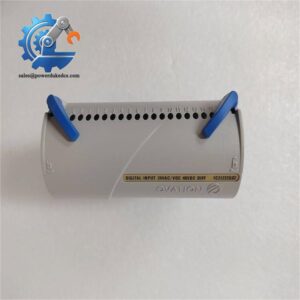
- Emerson KJ3203X1-BA2 13P0085X022 VE4001S2T2B4 | S-Series I/O Module for Power Plant & Petrochemical Control
Product Core Brief
- Model: KJ3203X1-BA2 (13P0085X022, VE4001S2T2B4)
- Brand: Emerson
- Series: DeltaV S-Series Distributed Control System
- Core Function: Collect discrete switch status signals from field equipment and transmit data to DeltaV controller
- Type: 32 Channel Discrete Input Module (DI Module)
- Key Specs: Supports 24 VDC dry contact input, LocalBus backplane communication, built-in channel diagnostics Condition: New Surplus, non-refurbished ⚠️ Original manufacturer end-of-life hardware, limited stock on hand
Product Introduction
Lost digital signal feedback can delay interlock response and trigger unplanned process trips. The Emerson KJ3203X1-BA2 VE4001S2T2B4 is a standard 32-channel discrete input card designed for DeltaV S-Series racks. It acquires contact status from valves, motor feedback switches and field limit sensors, then forwards all status data over the LocalBus backplane to DeltaV controllers.
Compared with low-density 16-channel DI modules, this unit doubles signal acquisition capacity within one rack slot, reducing total hardware count for sites with massive digital feedback points. Field records show stable continuous performance within 0°C ~ +60°C operating range. It is widely deployed in thermal power stations, refineries and chemical plant DeltaV control systems.
Key Technical Specifications
| Parameter | Specification |
|---|---|
| Full Part Number | KJ3203X1-BA2, 13P0085X022, VE4001S2T2B4 |
| Module Type | 32 Channel Discrete Input Module |
| Form Factor | DeltaV S-Series standard rack plug-in I/O card |
| Input Type | 24 VDC dry contact discrete input |
| Channel Quantity | 32 independent input channels |
| Backplane Interface | DeltaV LocalBus |
| LocalBus Power Draw | 12 VDC, 75 mA maximum |
| Field Bus Power | 24 VDC, 150 mA |
| Operating Temperature | 0 °C ~ +60 °C |
| Storage Temperature | -40 °C ~ +85 °C |
| Humidity | 5%–95% non-condensing |
| Diagnostic Features | Open circuit detection, module fault self-check, LED status indicators |
| Compatible System | DeltaV S-Series DCS hardware platform |
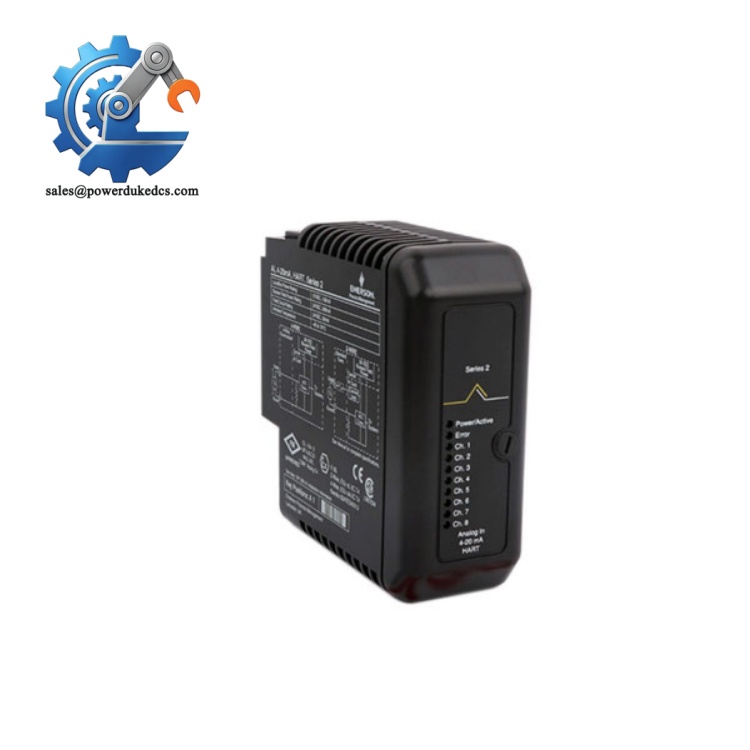
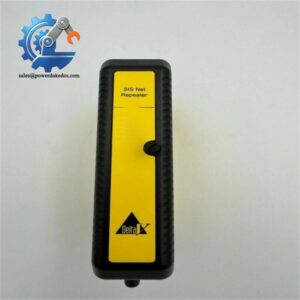
Emerson KJ3203X1-BA2 VE4001S2T2B4
Installation & Configuration Guide
Pre-Installation (Estimated 12 minutes)
⚠️ Safety Reminders
- Schedule planned outage for the DeltaV control rack. Hot-swap is not recommended.
- Disconnect rack power supply and implement lockout-tagout procedures.
- Wait at least 5 minutes to fully discharge internal rack capacitors.
Tools to prepare:
- Anti-static wrist strap and anti-static mat
- PH1 screwdriver
- Digital multimeter
- Mobile phone for photographing terminal wiring and slot layout
- Label tape for marking field cables
Preparation tasks: Export rack hardware configuration file. Take clear photos of field wiring connected to terminal block. Record all interlock logic relying on these DI channels for post-replacement verification.
Removal of Old Module (Estimated 15 minutes)
- Confirm rack power is completely cut off.
- Unlock the terminal block latch and detach wiring terminals. Mark every cable to avoid misconnection.
- Release the module front locking tab, pull the DI card straight outward. Do not twist the circuit board to prevent bent backplane pins.
- Inspect rack backplane connectors for oxidation, dust or pin deformation. Clean contaminants with dry compressed air when necessary.
New Module Installation (Estimated 18 minutes)
- Wear anti-static protection before removing the module from ESD packaging. Static discharge can damage signal circuits.
- Insert the module into the target rack slot, push vertically until the lock tab clicks firmly.
- Mount the terminal block and reconnect field wiring strictly following photos captured during disassembly.
- Tighten terminal screws with moderate torque; avoid over-tightening to prevent plastic base cracking.
- Check no loose cables or stray metal fragments remain inside the rack cabinet.
Pre-power-on checklist: [ ] Module fully seated and locked into rack backplane [ ] All field wiring labels match original layout [ ] No short circuits between signal channels [ ] Unused rack slots fitted with blank filler panels
Power-On & Functional Testing (Estimated 35 minutes)
- Restore rack power and observe front panel LED indicators. Steady OK light confirms normal initialization.
- Launch DeltaV Explorer software, scan rack hardware and confirm the system identifies KJ3203X1-BA2.
- Verify existing I/O configuration matches the new module; download parameters if required.
- Manually toggle field switches, confirm status changes reflect accurately on DeltaV operator screens.
- Run continuous monitoring for minimum 30 minutes. Watch for unexpected channel faults or signal flickering.
- Update maintenance log: record serial number, replacement date and test results.
Troubleshooting hints:
- Module not detected: Check full insertion into backplane
- Constant channel fault alarms: Inspect open wiring or broken field contacts
- Signal state update delay: Confirm LocalBus communication load of the rack
Frequently Asked Questions (FAQ)
- Can I hot-swap the KJ3203X1-BA2 DI module while the DeltaV rack stays powered? Not advised. Live removal generates backplane noise, which may trigger false interlock trips. Arrange a planned shutdown for module replacement.
- Are all part code variants (13P0085X0XX) drop-in interchangeable? Most revisions support direct replacement. Minor hardware differences may exist between suffix versions. Provide your existing module serial number before purchase for compatibility validation.
- Can this module source power to field sensors? This is dry contact discrete input hardware. It does not supply field power; external 24 VDC power needs to be wired to field switches separately.
- What warranty is provided for this surplus module? Each unit completes full bench channel testing and LocalBus communication verification before shipment. We offer a 12-month functional warranty. Test photos or video records can be provided upon request.
- What typical failure symptoms appear on faulty VE4001S2T2B4 modules? Common faults include individual channels stuck at ON/OFF status, frequent channel diagnostic alarms, failure to be recognized by DeltaV software, and persistent ERR LED alert.
- How many of these DI modules can be installed inside one DeltaV S-series rack? Total module quantity depends on rack LocalBus power load. Complete power consumption calculation is required before adding multiple I/O cards in one rack.
- Does the module need special configuration after physical replacement? If you install the new module in the identical slot position, existing DeltaV configuration can be reused. No extra parameter setup is needed after hardware detection.



 Start Chat


