

Description
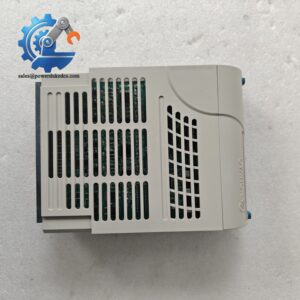
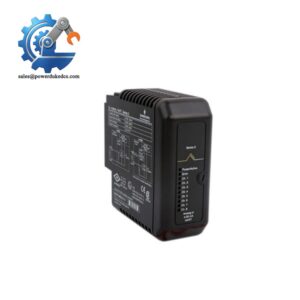
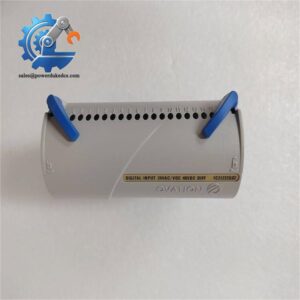
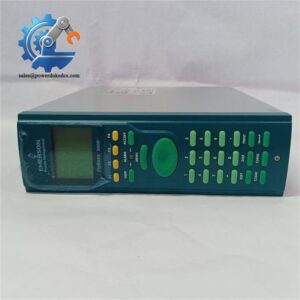
- Emerson P152.R4 | Rack Mount CPU Card for Custody Transfer Flow Metering Applications
Product Core Brief
- Model: P152.R4
- Brand: Emerson (Daniel)
- Series: Spectra S600+ Flow Computer Platform
- Core Function: Execute flow calculation, signal processing and custody transfer data management
- Type: Main Processor Board / CPU Module
- Key Specs: Onboard data memory, RS232 / RS485 / Ethernet interfaces, watchdog fault monitoring Condition: New Surplus, non-refurbished ⚠️ OEM discontinued hardware, limited available inventory
Product Introduction
Unplanned processor failure can interrupt custody transfer metering and trigger commercial measurement disputes. The Emerson P152.R4 serves as the core CPU board for Spectra S600+ flow computer chassis. It collects pulse, analog and serial input signals from flow sensors, runs standardized flow algorithms and archives measurement records.
Many field sites pair this board with auxiliary I/O modules to build complete metering systems. Compared with older P152 hardware revisions, R4 version optimizes communication stability under continuous vibration and wide temperature fluctuations. The unit runs 24/7 measurement tasks in oil & gas custody transfer stations, pipeline compressor stations and petrochemical metering skids.
Key Technical Specifications
| Parameter | Specification |
|---|---|
| Part Number | P152.R4 |
| Module Type | Spectra S600+ Main Processor Board |
| Application Platform | Daniel Spectra S600+ Flow Computer |
| Communication Ports | RS232, RS422/RS485, Ethernet |
| Core Function | Flow computation, data logging, alarm management, HMI data exchange |
| Onboard Features | Hardware watchdog, backup memory for metering logs, LED status indicators |
| Operating Temperature | -20 °C ~ +60 °C |
| Storage Temperature | -40 °C ~ +85 °C |
| Power Supply | Supplied via S600+ chassis backplane |
| Mounting Form | Standard rack plug-in circuit board |
| Compliance | Industry custody transfer metering standards |
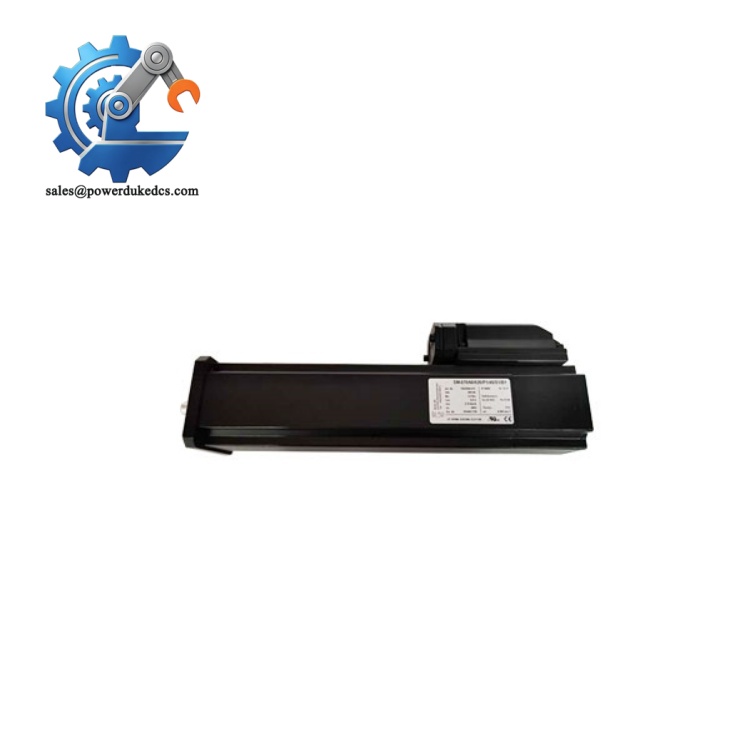
Emerson P152.R4
Installation & Configuration Guide
Pre-Installation (Estimated 12 minutes)
⚠️ Safety Reminders
- Schedule metering system shutdown. Avoid live board removal to prevent measurement interruptions.
- Cut off chassis power supply and lock out power circuits.
- Wait minimum 5 minutes for internal circuit capacitors to discharge.
Tools to prepare:
- Anti-static wrist strap and anti-static mat
- PH1 screwdriver
- Digital multimeter
- Mobile phone for recording wiring and jumper positions
- Label tape for cable marking
Preparation tasks: Back up all flow configuration parameters, meter calibration data and communication settings. Take clear photos of module jumpers and rear terminal wiring layout.
Removal of Old Module (Estimated 15 minutes)
- Confirm S600+ chassis power is fully disconnected.
- Disconnect all external communication cables connected to the processor board, mark each cable clearly.
- Release board front panel latches, pull the processor board straight outward. Do not twist PCB to avoid bending backplane pins.
- Inspect chassis backplane connectors for oxidation, bent pins or accumulated dust. Clean contaminants with dry compressed air if needed.
New Module Installation (Estimated 18 minutes)
- Wear anti-static protection before unpacking the P152.R4 board. Static discharge damages sensitive memory and processor circuits.
- Adjust onboard jumpers according to photos taken during disassembly.
- Insert the board into the dedicated chassis slot, push vertically until front latches lock firmly.
- Reconnect communication cables following reference photos.
- Confirm no loose wires or stray hardware remain inside the chassis enclosure.
Pre-power-on checklist: [ ] Processor board fully seated and latched [ ] Jumper configuration matches original settings [ ] Communication wiring polarity correct [ ] No foreign debris inside chassis slots
Power-On & Functional Testing (Estimated 35 minutes)
- Restore chassis power and observe front panel LED indicators. Normal startup shows steady RUN indicator after initialization.
- Connect configuration software to establish communication with the processor.
- Upload saved flow calculation parameters, meter data and communication settings.
- Verify pulse input, analog signal acquisition and Ethernet/serial communication.
- Run continuous simulation test for minimum 30 minutes. Confirm no unexpected restarts or data loss.
- Validate flow calculation output matches expected values.
- Update maintenance log: record serial number, replacement date and configuration version.
Troubleshooting hints:
- System cannot detect processor board: Recheck full insertion into backplane
- Communication failure: Verify jumper settings for serial bus termination
- Configuration data cannot save: Check onboard backup battery status
Frequently Asked Questions (FAQ)
- Can I hot-swap P152.R4 processor board while the flow computer remains powered? Not allowed. Live removal cuts off all measurement logic. It causes loss of flow records and may trigger station safety interlocks. Always arrange full chassis shutdown for replacement.
- Are different hardware revisions of P152 interchangeable? R4 can replace older P152 revisions in most cases. Minor firmware differences may affect communication protocols. Share your existing system firmware version before purchase to avoid compatibility risks.
- Can multiple P152.R4 boards operate inside one S600+ chassis? No. Each S600+ chassis accepts only one main processor board. Additional measurement channels rely on separate I/O expansion cards.
- What warranty coverage is provided for this surplus processor board? Every unit undergoes full bench communication and flow logic testing before shipment. We offer a 12-month functional warranty. Test photos or video records can be provided upon request.
- What typical failure signs appear on faulty P152.R4 boards? Common symptoms include frequent system reboot, inability to store metering logs, loss of communication with remote SCADA, constant error LED alarm, and failure to load flow configuration files.
- Is this processor suitable for custody transfer metering applications? Yes. The Spectra S600+ platform is widely deployed for fiscal metering. Confirm all configuration and calibration work is completed and re-verified after board replacement.
- Does the board require battery replacement after long-term storage? The onboard backup battery retains metering logs when power is off. If the unit has been stored for multiple years, battery capacity may degrade. Battery replacement can be arranged before delivery upon request.



 Start Chat


