

Description
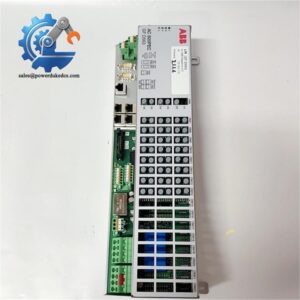
- ABB PHARPS320000000 | Multi-channel Regulated DC Power Supply For Harmony Control Rack
Product Core Brief
- Model: PHARPS320000000 (PHARPS32000000, MPS III)
- Brand: ABB
- Series: Symphony Plus / Harmony Rack (Former Bailey INFI90)
- Core Function: Supplies multiple regulated DC voltages to Harmony rack controllers and I/O modules
- Product Type: Rack Mount Modular Power Supply Tray (PSU)
- Key Specs: AC 90–250V input; 5V@60A, +15V@3A, -15V@3A, 24V@17A outputs
- Condition: New Original, non-refurbished surplus stock
⚠️ Mature legacy DCS component; implement last-time-buy planning for long-term plant maintenance
Product Introduction
Key Technical Specifications
| Parameter Item | Technical Data |
|---|---|
| Full Part Number | PHARPS320000000 (Alias: PHARPS32000000, MPS III) |
| Input Range | 90 – 250 V AC, 47–63 Hz |
| DC Output Ratings | 5 V DC @ 60 A
+15 V DC @ 3 A -15 V DC @ 3 A 24 V DC @ 17 A |
| Installation Form | Plug-in tray for Harmony rack chassis |
| Supported System | ABB Symphony Plus, Bailey INFI90 Harmony racks |
| Protection Features | Overcurrent, overvoltage, over-temperature shutdown |
| Cooling Method | Forced air internal fan cooling |
| Operating Temperature | 0 °C ~ +55 °C |
| Dimensions | 228.6 × 330.2 × 635 mm (D × H × W) |
| Certification | CE, UL industrial compliance |
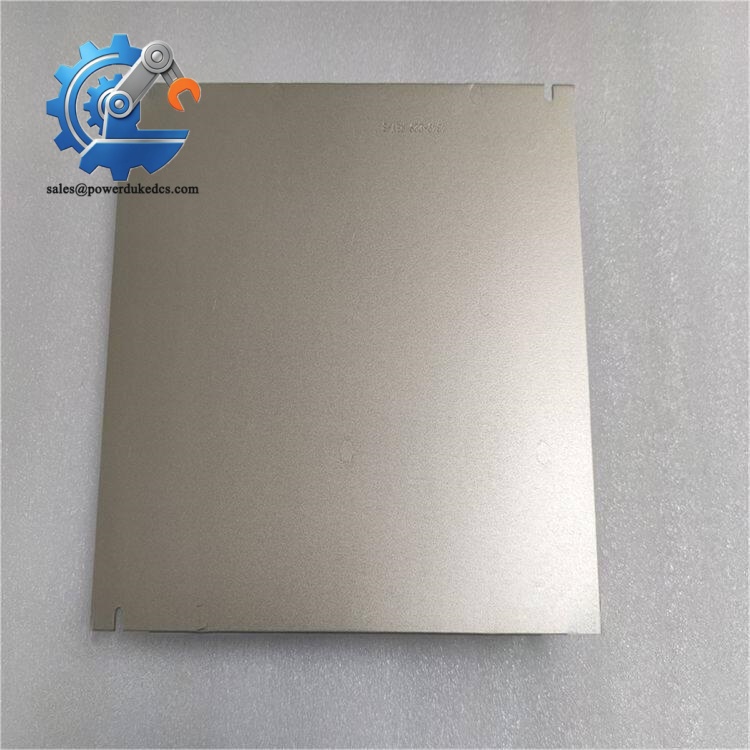
ABB PHARPS320000000
Installation & Configuration Guide
Stage 1: Pre-Installation Preparation (12 mins)
Coordinate full rack shutdown with site operation staff. Confirm all controlled field equipment enters safe shutdown state. Isolate main AC power feed and wait minimum 10 minutes for internal power supply capacitors to fully discharge.
ESD wrist strap and anti-static mat, PH2 screwdriver, Fluke multimeter, mobile phone for wiring and connector photo records, compressed air canister.
Record existing AC terminal wiring and alarm signal connections. Capture photos of tray status indicator layout for future reference. Review site load calculation to confirm the new PSU matches rack total power consumption.
Stage 2: Old Power Tray Removal (15 mins)
Step 2: Loosen mounting fasteners. Unplug internal rack backplane power connector first, then disconnect AC input terminals.
Step 3: Slide the power tray horizontally outward from the rack slot. Do not pull at an angle to avoid damaging backplane contacts.
Step 4: Inspect rack backplane power pins. Blow away accumulated dust with dry compressed air; check for discoloration or heat marks.
Stage 3: New PHARPS320000000 Installation (18 mins)
Step 2: Verify full model code PHARPS320000000. Do not confuse with PHARPS32200000 or other MPS variants with different current ratings.
Step 3: Align tray into rack slot, slide inward smoothly. Connect backplane power connector securely before fixing mounting screws.
Step 4: Reconnect AC power wiring and alarm signal terminals following recorded photos. Tighten terminal screws with consistent torque.
Backplane connector fully seated ✅ | AC wiring polarity confirmed ✅ | Air intake and exhaust unobstructed ✅ | Mounting fasteners secured ✅
Stage 4: Power-On & Commissioning (25 mins)
Step 1: Restore isolated AC power supply. Observe front panel LED indicators. Normal status shows all power rail ready lights active.
Step 2: Monitor internal fan rotation. Abnormal noise or stationary fan means immediate shutdown for inspection.
Step 3: Power up remaining rack modules sequentially. Watch for controller and I/O module initialization without fault alarms.
Step 4: Measure each DC output rail voltage under full rack load. Record readings into maintenance logs.
Step 5: Maintain continuous operation over 60 minutes. Confirm no thermal alarms or random module resets. Update equipment asset records with serial number.
Quality Inspection Process
- Warehouse Entry Verification
Cross-check part number PHARPS320000000 against label data. Complete visual inspection for housing deformation, connector damage and scratch marks. Confirm fan rotates freely without abnormal friction.
- Live Bench Testing
Install tray onto Harmony test rack. Apply rated AC input, verify all four DC rails reach specified voltage and current capacity. Execute 24-hour continuous load aging monitoring. Test reports available upon request.
- Electrical Parameter Testing
Carry out insulation resistance test on input-output isolation circuits. Check trigger thresholds for built-in overload protection.
- Hardware Information Recording
Log serial number, hardware revision and default operating parameters for traceability. Document LED indicator status under normal and fault simulation conditions.
- Final QC & Packaging
Approved trays packed with anti-static shielding and foam protection inside export cartons. Attach QC Pass sticker with inspection date. Test photos or short video can be supplied for customer validation.
Field Replacement Pitfall Guide
PHARPS320000000, PHARPS32200000 and other similar trays share identical physical dimensions yet have different maximum output currents. Installing a lower-rated variant leads to overload shutdown under full rack load. Always cross-reference model codes.
Large internal capacitors hold dangerous residual voltage after AC power cuts. Early disassembly creates electric shock risks and can short internal circuits. Allow at least 10 minutes discharge time.
Many technicians stack cables against tray ventilation grilles. Restricted airflow activates thermal protection and causes unexpected DCS rack trips during hot summer operation.
Repeated tray insertion wears gold-plated backplane contacts. Oxidation creates unstable power delivery that triggers random controller restarts, which are difficult to replicate during troubleshooting.
Loose AC terminals generate heat under high continuous load. Long-term overheating melts insulation and poses fire risk within control cabinets.
Frequently Asked Questions (FAQ)
-
Which control systems support PHARPS320000000?
This power tray works with ABB Symphony Plus Harmony racks and legacy Bailey INFI90 hardware. It cannot be used directly with AC800M S800 I/O racks.
-
Is hot-swap supported while the Harmony rack remains powered?
Hot replacement is not supported. Full rack AC shutdown is mandatory before removing or installing this power supply tray. Live removal risks permanent damage to rack backplane and connected controllers.
-
Can multiple PHARPS320000000 trays run in parallel for redundancy?
This model supports redundant configuration within Harmony rack architecture. Follow official ABB Symphony Plus installation guidelines for parallel wiring and load balancing.
-
What warranty applies to stocked PHARPS320000000?
All units come with a 12-month warranty after shipment. Complete bench load testing finishes before dispatch. Damage caused by incorrect AC input voltage, wiring errors or blocked cooling voids warranty coverage.
-
Is this part still in active production?
It belongs to legacy DCS product lines. Factory stock runs are limited. Facilities with long-term maintenance plans should evaluate last-time-buy orders to avoid future stock-out risk.
-
What happens if the 24V output exceeds rated 17A?
Built-in overcurrent protection activates. The 24V rail shuts down automatically to protect the power supply and connected field I/O modules. Power cycling is required to reset after fault removal.



 Start Chat


