

Description
Product Core Brief
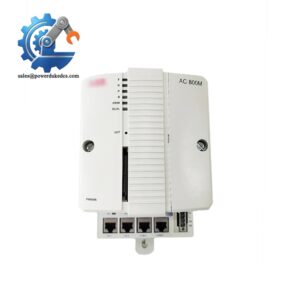
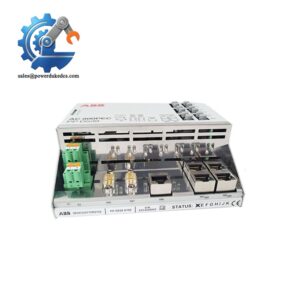
- Model: TP830
- Full Part Code: 3BSE018114R1
- Brand: ABB
- Series: AC800M Controller Hardware Series
- Core Function: Provide mechanical mounting and electrical interfaces for single PM8xx processor module
- Type: Processor Baseplate (Termination Base Unit)
- Key Specs: DIN rail installation, integrated CEX-Bus, dual Ethernet ports, 24 V DC power feed
- Condition: New Surplus, non-refurbished
⚠️ Officially discontinued by ABB, serial production terminated, available stock is limited surplus inventory
Product Introduction
Key Technical Specifications
| Parameter | Specification |
|---|---|
| Part Number | TP830 / 3BSE018114R1 |
| Compatible CPU | PM864, PM865 single processor modules |
| Supported Architecture | Single (non-redundant) AC800M controller |
| Mounting | Standard 35 mm DIN rail |
| Supply Voltage | 24 V DC nominal |
| Onboard Interfaces | 2 × RJ45 Ethernet, CEX-Bus internal bus connector |
| Mechanical Width | 115 mm |
| Operating Temperature | 0 °C ~ +55 °C |
| Storage Temperature | -40 °C ~ +70 °C |
| Relative Humidity | 5% – 95 %, non-condensing |
| Origin | Sweden |
| Matching Redundant Variant | TP831 (3BSE018115R1) |
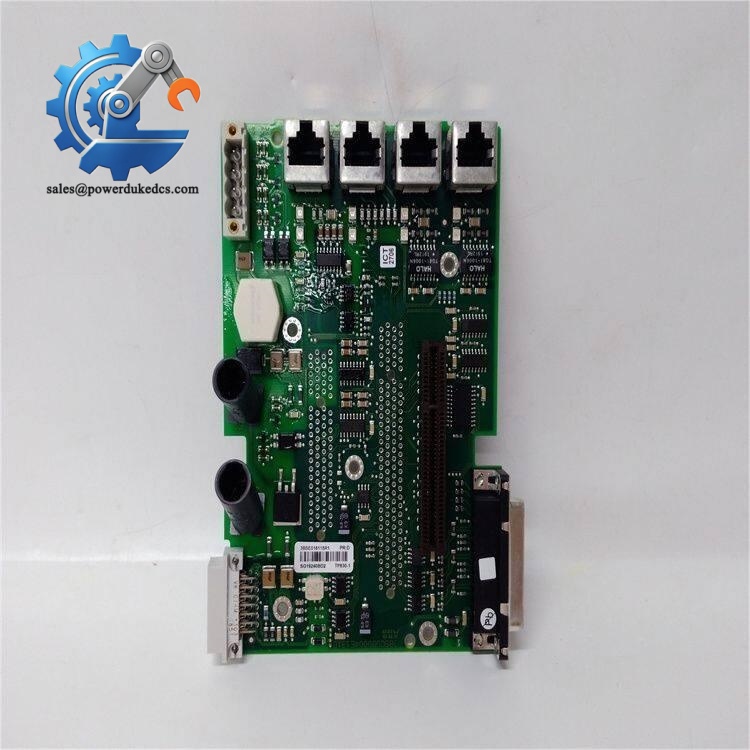
ABB TP830 3BSE018114R1
Installation & Configuration Guide
Pre-Installation (Estimated: 15 min)
- Schedule equipment shutdown and implement lockout-tagout procedures
- Cut off all 24 V DC control power feeding the controller rack
- Export the full control program and hardware configuration backup
- Capture photos of Ethernet cable arrangement and CPU DIP switch positions
- ESD wrist strap and anti-static mat
- PH0 cross screwdriver
- Digital multimeter
- Mobile camera for wiring documentation
- Record IP settings of the controller Ethernet ports
- Save all controller alarm and event logs before disassembly
- Mark each network cable with clear labels
Old Unit Removal (Estimated: 18 min)
- Unplug all RJ45 Ethernet cables connected to TP830 ports
- Remove the PM8xx CPU module by releasing front side locking latch
- Disconnect 24 V DC power wiring terminals from baseplate
- Push DIN rail release tab and slide the baseplate outward
- Inspect edge connector pins and PCB surface for oxidation or heat discoloration
New Module Installation (Estimated: 20 min)
- Complete ESD protection before opening anti-static packaging
- Verify full part number TP830 / 3BSE018114R1 matches required spare
- Slide baseplate onto DIN rail until locking mechanism clicks firmly
- Reconnect 24 V DC power cables following polarity markings
- Insert PM8xx CPU module vertically and lock the front latch
- Reinstall Ethernet communication cables
- Complete pre-power checklist:
☑ CPU module fully seated and locked
☑ DC power polarity correct
☑ All network cables securely plugged
☑ No loose wiring strands inside terminal area
Power-On & Function Test (Estimated: 35 min)
- Measure input 24 V DC voltage within allowable tolerance
- Confirm no short circuits on power terminals
- Restore control power and observe CPU front panel LED status
- Connect engineering workstation via Ethernet and scan the control network
- Upload backup hardware configuration if needed
- Verify controller enters RUN mode without hardware errors
- Maintain continuous running test for minimum 60 minutes
- Monitor communication links between controller, HMI and field S800 I/O stations
- CPU fails to boot: Check seating of processor module and baseplate power supply
- Ethernet link cannot establish: Inspect RJ45 port contacts and cable integrity
- CEX-Bus communication error: Remove and re-seat CPU to re-establish connector contact
Frequently Asked Questions (FAQ)
A: It cannot. TP830 only works for single CPU setups. For redundant PM8xx pairs, select TP831 baseplate (3BSE018115R1). Mixing baseplate types will lead to hardware configuration faults.
A: If replacing with identical TP830 model, no project changes are required. Download saved configuration after replacement to ensure consistent network parameters.
A: Hot removal of PM8xx CPU is not recommended. Live extraction triggers CEX-Bus interruption and causes instant control program halt. Full power shutdown is safer during maintenance.
A: Common signs include unstable Ethernet links, random controller warm restarts, intermittent CEX-Bus errors, CPU module unable to detect after vibration or temperature shift.
A: Direct replacement is unavailable. Each baseplate model corresponds to fixed hardware architecture. Confirm CPU model and system redundancy requirement before ordering spare units.
A: All settings are stored inside the PM8xx CPU flash memory, not the baseplate. Parameters remain intact, yet communication port physical connections need re-verification.
A: Warranty does not cover damage caused by reverse power connection, ESD impact, overvoltage surges, liquid contamination, or physical deformation of connectors. Every unit undergoes bench inspection before shipment, test documentation can be provided upon request.



 Start Chat


