

Description
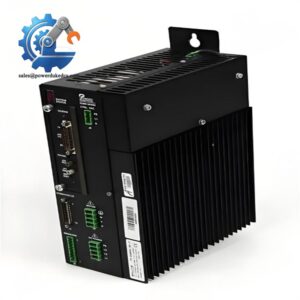
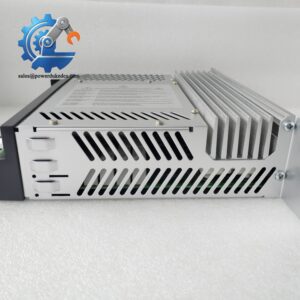
- Brooks Automation 001-4130-03 | Cleanroom Grade Alignment Controller for Front-End Fab Equipment
Product Core Brief
- Model: 001-4130-03
- Brand: Brooks Automation
- Series: Wafer Aligner Control Platform
- Core Function: Executes high-precision X-Y-Theta positioning for semiconductor wafer centering and notch alignment
- Type: Wafer Aligner Controller
- Key Specs: 3-axis motion control; Sub-micron repeatability; DB serial & parallel I/O interfaces Condition: New Surplus, not refurbished ⚠️ This unit is discontinued by original manufacturer, available stock is limited.
Product Introduction
Misaligned wafers during transfer will trigger collision risks and lower die yield in cleanroom production. The Brooks Automation 001-4130-03 serves as dedicated motion controller built for wafer pre-alignment inside EFEM and vacuum handling platforms.
This controller drives the aligner’s X, Y and rotational axes to locate wafer notch or flat edge before robot pickup. It runs built-in alignment algorithms optimized for silicon wafers, supporting both 200 mm and 300 mm substrate formats. Position repeatability reaches sub-micron level, stable enough for long-duration continuous cleanroom operation. It communicates with host robot controllers via standard serial interfaces, and handles sensor feedback to prevent wafer edge damage during positioning cycles.
Key Technical Specifications
| Parameter | Details |
|---|---|
| Full Part Number | 001-4130-03 |
| Manufacturer | Brooks Automation (USA) |
| Controlled Axes | X, Y, Theta (3-axis wafer alignment) |
| Position Repeatability | X/Y: ≤0.5 μm; Theta: ≤0.05 mrad |
| Operating Environment | Class 1 cleanroom compatible |
| Supply Voltage | 24 V DC |
| External Interfaces | DB9 serial port, DB25 parallel I/O, DB15 axis driver port |
| Supported Wafer Size | 200 mm, 300 mm silicon wafers |
| Operating Temperature | 18 °C ~ 28 °C (controlled cleanroom environment) |
| Mounting Style | Cabinet rack mount |
| Application Scenarios | EFEM, atmospheric wafer handling, pre-aligner stations |
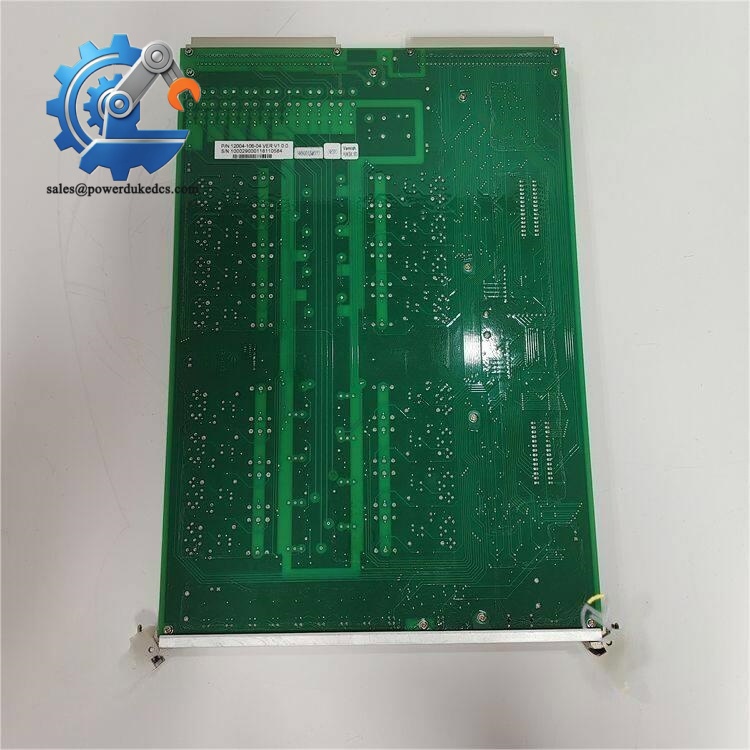
Brooks Automation 001-4130-03
Installation & Configuration Guide
Phase 1: Pre-Installation (Estimated: 12 minutes)
⚠️ Safety Reminders
- Coordinate with fab process team to schedule equipment maintenance window.
- Confirm all wafer handling robots are set to manual mode and wafer cassettes removed.
- Cut off power to the EFEM main cabinet; wait 5 minutes for internal capacitance discharge.
Tools to prepare
- Anti-static wrist strap and anti-static mat
- PH1 cross screwdriver
- Digital multimeter
- Mobile phone for recording wiring and port assignments
- Label marker for marking signal cables
Backup work
- Export current aligner motion parameters from host control software.
- Take clear photos of all connector wiring before disassembly.
Phase 2: Remove Old Controller (Estimated: 10 minutes)
- Confirm cabinet power remains fully disconnected.
- Unplug DB serial, I/O and axis drive connectors one by one, mark each cable according to photos.
- Loosen rack mounting screws and slide the unit outward carefully.
- Inspect connector pins for bending, oxidation or residual contamination from cleanroom atmosphere.
⚠️ Do not pull cables directly by wire. Damaged signal lines will cause alignment drift after replacement.
Phase 3: Install New Controller (Estimated: 18 minutes)
- Wear anti-static wrist strap before removing the unit from ESD packaging.
- Double-check part number: confirm 001-4130-03 matches replacement specification.
- Slide the controller into the designated rack slot and evenly tighten mounting screws.
- Restore all connectors strictly following photo records; ensure each DB connector locks firmly.
Self-check checklist [ ] Part number fully verified [ ] All communication and drive cables correctly plugged [ ] Controller fixed without vibration clearance [ ] No loose wires inside the cabinet
Phase 4: Power-On & Functional Test (Estimated: 30 minutes)
Pre-power inspection
- Measure input 24 V DC voltage to eliminate overvoltage risk.
- Check no short circuit between power terminals.
Power-on steps
- Restore cabinet power, keep all wafer handling mechanisms offline initially.
- Connect host controller and establish serial communication with the aligner unit.
- Upload saved alignment motion parameters to the new controller.
- Run homing cycle for X, Y and Theta axes; watch for abnormal vibration or error codes.
- Place dummy wafer and execute full automatic alignment cycles repeatedly.
- Maintain continuous running for over 30 minutes, verify consistent positioning accuracy.
Troubleshooting hints
- Communication failure: Check serial wiring pin definition and terminal locking.
- Alignment offset error: Re-upload original motion parameters and re-do axis homing.
- Axis unable to move: Inspect drive cable connections and enable signal I/O.
Frequently Asked Questions (FAQ)
- Can I hot-swap the 001-4130-03 controller without shutting down EFEM? Hot swap is not supported. Power interruption during replacement will reset alignment parameters, and unexpected axis movement may scratch wafers. Complete replacement during planned equipment downtime.
- Does 001-4130-03 work with older Brooks robot host systems? Compatibility depends on host controller firmware. We have seen mismatches causing serial handshake failures. Send your robot controller model and firmware version before purchase for compatibility confirmation.
- What testing do you perform before shipment? Every unit passes full power-on aging test, serial communication verification and 3-axis motion simulation. We can share test screenshots; short testing video records can be provided upon request. All stock items carry 12-month warranty.
- Can this controller run for 150 mm wafer alignment? Hardware supports basic positioning, but native firmware algorithms are optimized for 200/300 mm wafers. 150 mm process requires customized parameter tuning, which is not included in default configuration.
- How long is typical delivery lead time? Units stocked in Xiamen warehouse can ship within 1–3 working days. If stock is exhausted, last-time sourcing can be arranged; confirmed lead time will be notified before formal order.
- What are common failure symptoms for this controller? Frequent alignment drift, serial communication dropouts, or axes failing to complete homing cycle are typical signs. Most faults relate to internal power circuits or communication chips after long-term cleanroom operation.



 Start Chat


