

Description
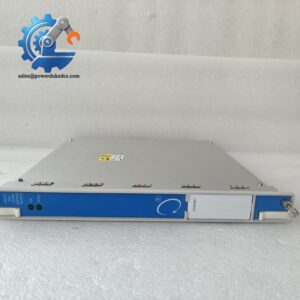
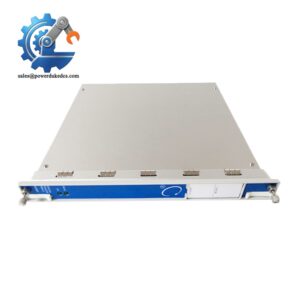
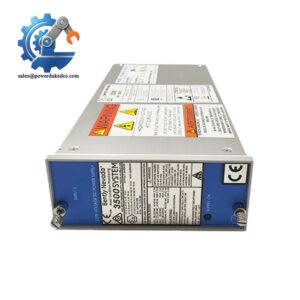
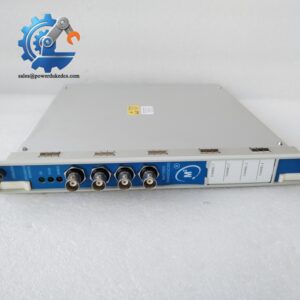
- Bently Nevada 3500/22M 138607-01 | Slot 1 TDI unit compatible with System 1 predictive maintenance software
Product Core Brief
- Model: 3500/22M, Part No. 138607-01
- Brand: Bently Nevada (Baker Hughes)
- Series: 3500 Machinery Protection System
- Core Function: Rack master interface, transmits steady-state and transient waveform data to host diagnostic software
- Type: Transient Data Interface (TDI) Module
- Key Specs: Occupies dedicated Slot 1, 10/100Mbps Ethernet, supports M-series monitor modules, 10.5W power consumption
- Condition: New Surplus, non-refurbished ⚠️ Discontinued original production, limited available inventory
Product Introduction
Many rotating equipment faults only show clear signatures during machine startup, coast-down or load fluctuation. Static trend data alone cannot capture these brief vibration waveforms, which is where the Bently Nevada 3500/22M 138607-01 delivers unique value.
This TDI module merges rack interface and high-speed data acquisition capabilities. It works as the communication hub for an entire 3500 rack, exchanging commands and measurement data with all monitoring boards through the backplane. Standard static data transmission is active by default. Installing an optional Channel Enabling Disk unlocks high-resolution transient waveform recording, supporting orbit analysis and rotor dynamic troubleshooting within System 1 software. Important detail: the TDI does not participate in machinery protection trip logic. Even if communication fails, all vibration protection functions on other modules continue running normally.
Key Technical Specifications
| Item | Parameter |
|---|---|
| Full Part Number | 3500/22M 138607-01 |
| Designated Slot | Slot 1 (adjacent to rack power supply modules) |
| Power Draw | 10.5 W, powered by rack backplane |
| Communication Ports | Auto-sensing 10/100Base-T Ethernet, front-panel USB-B port |
| Supported Monitors | All 3500 M-series monitoring modules |
| Data Functions | Standard steady-state data; transient waveform capture (requires CED license) |
| Operating Temperature | 0 °C ~ +65 °C |
| Storage Temperature | -40 °C ~ +85 °C |
| Required Software | 3500 Rack Configuration Software, System 1 Condition Monitoring Software |
| Status Indicators | OK, TX/RX, Configuration Status front-panel LEDs |
| Certification | CE, UL/cULus certified |
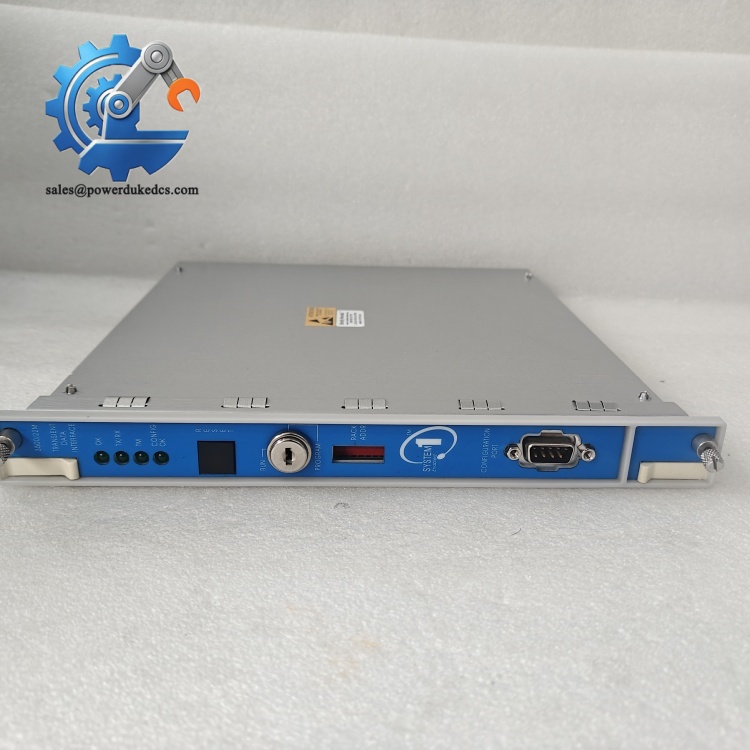
Bently Nevada 3500/22M 138607-01
Installation & Configuration Guide
Phase 1: Pre-Installation (Estimated: 12 minutes)
⚠️ Safety reminders
- Coordinate planned downtime with operation team; confirm critical rotating machines are locked out
- Cut off full 3500 rack power supply, wait minimum 5 minutes for internal capacitors to fully discharge
- Prepare ESD wrist strap and anti-static work surface to prevent circuit board damage
Tools and preparation
- PH1 screwdriver, digital multimeter
- Laptop with official 3500 rack configuration software
- Mobile camera for recording existing layout and settings Backup tasks
- Export complete rack configuration file and save redundant copies
- Photograph front panel switch positions and slot layout of all modules
- Record firmware version of the existing TDI unit
Phase 2: Remove Old Module (Estimated: 9 minutes)
- Loosen two front panel fixing screws
- Disconnect Ethernet and USB cables connected to the module
- Pull the module straight outward vertically; avoid twisting to prevent bending backplane pins
- Inspect backplane connector for bent pins or dust residue, clear contaminants with dry compressed air ⚠️ Never touch metal backplane pins with bare fingertips.
Phase 3: Install New Module (Estimated: 16 minutes)
- Take the replacement module out of anti-static packaging after ESD protection is ready
- Verify full part number: 3500/22M 138607-01
- Insert the module into Slot 1 only; improper slot location causes complete rack communication failure
- Push the module fully engaged with the backplane, tighten front panel screws with moderate torque
- Reconnect Ethernet cable, assign isolated industrial monitoring network if possible Self-check list [ ] Module fully seated inside Slot 1 without tilt [ ] Network cable securely locked [ ] No loose debris inside rack chassis [ ] No signal cables routed alongside high-power wiring
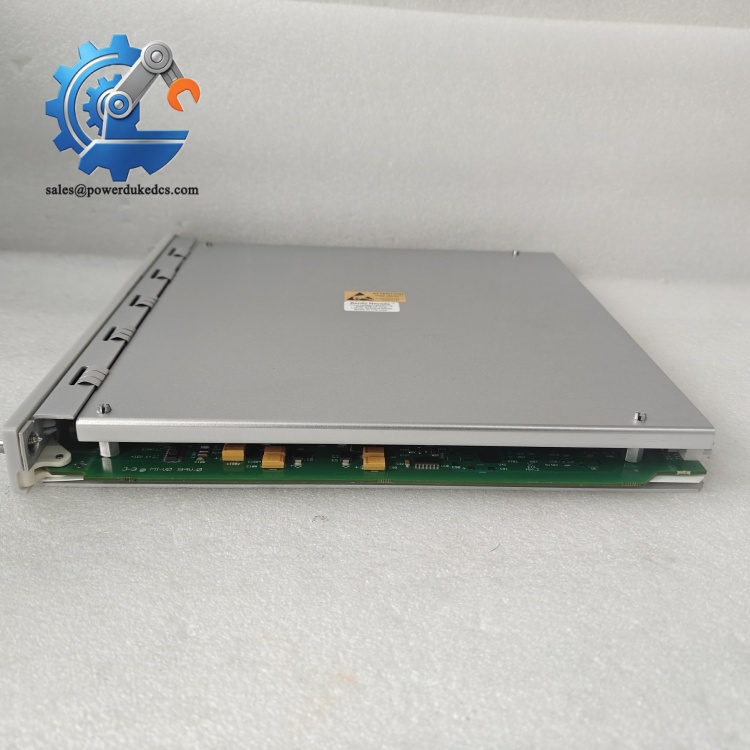
Bently Nevada 3500/22M 138607-01
Phase 4: Power-On & Function Testing (Estimated: 28 minutes)
Pre-power inspection
- Confirm rack power wiring has no short circuit
- Plan static IP address matching plant network management rules
Power-on steps
- Restore power to the 3500 rack only, keep field machines offline temporarily
- Watch front panel LED indicators; steady green OK light means module self-test passed
- Launch configuration software, set static IP address for the new TDI module
- Import saved rack configuration and download parameters to the rack backplane
- Scan rack inventory, confirm all installed monitor modules are detected normally
- Verify data upload to System 1; test transient waveform capture if you hold a valid CED license
- Maintain continuous rack operation for 30 minutes, monitor for intermittent communication dropouts
Troubleshooting tips
- Undetected rack modules: confirm TDI sits strictly in Slot 1
- Failed transient data capture: check whether Channel Enabling Disk license is installed
- Intermittent disconnection: separate vibration monitoring network from office IT traffic
Frequently Asked Questions (FAQ)
- Can 3500/22M 138607-01 operate in slots other than Slot 1 of the 3500 rack? No. The backplane communication bus is mapped exclusively to Slot 1 for TDI/RIM hardware. Installing it into any other slot will stop all rack communication. This mistake appears frequently during rush maintenance work.
- Does replacing the old TDI module interrupt machine vibration protection logic? Protection functions run independently on each monitoring module. The TDI only handles data communication and configuration. Machine trip logic will still work normally, but operators lose real-time data visibility during replacement. Still arrange work during planned shutdowns.
- Is 138607-01 fully interchangeable with the updated 288055-01 variant? Hardware form factor matches, but firmware compatibility needs verification with your rack configuration. We have encountered cases where direct swap triggers configuration errors. Send your current rack firmware version before ordering to avoid on-site issues.
- Do I need extra license hardware to collect transient waveform data? Standard factory settings only support steady-state vibration values. High-speed transient waveform recording requires an optional Channel Enabling Disk (CED). Without this license, the module cannot store startup, coast-down or fault waveform data.
- What is the difference between 3500/22M TDI and older 3500/20 RIM module? 3500/20 only provides basic rack communication. The 3500/22M adds built-in high-speed transient data acquisition, removing the need for separate TDXnet communication processors. Configuration files cannot be directly imported between the two models.
- Is 3500/22M 138607-01 still manufactured by Bently Nevada? This specific part number has reached end-of-life. Original factory production has stopped. Available stock consists of surplus inventory. If you operate multiple 3500 racks, consider securing spare units ahead of future maintenance needs.
- Can this module transmit vibration data directly to DCS control systems? It does not feature native 4–20mA analog outputs. Data can be shared to DCS via network protocols through System 1 software or additional communication gateway modules installed inside the rack.



 Start Chat


