

Description
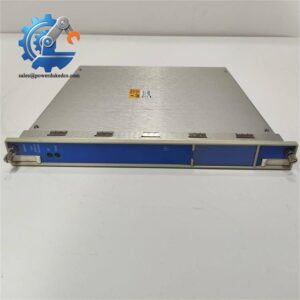
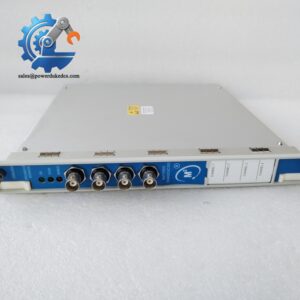
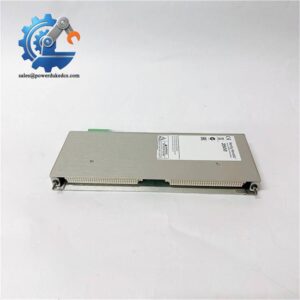
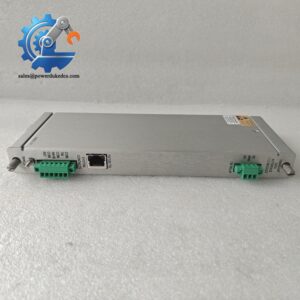
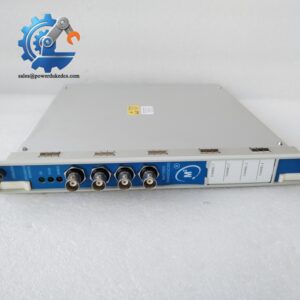
- Bently Nevada 3500/65 145988-02 | Full Height Module Compliant with API 670 Standard
Product Core Brief
- Model: 3500/65 145988-02
- Brand: Bently Nevada
- Series: 3500 Machinery Protection System
- Core Function: Collect temperature signals and trigger alarms for rotating machinery bearing and stator monitoring
- Type: 16-Channel Temperature Monitor Module
- Key Specs: Supports RTD & isolated tip TC inputs, full-height rack form factor, max 3 W power consumption Condition: New Surplus, non-refurbished ⚠️ Original manufacturer end-of-life unit, limited stock available
Product Introduction
Uncontrolled bearing temperature rise can trigger unplanned turbine trips. The Bently Nevada 3500/65 145988-02 acts as dedicated temperature acquisition hardware inside the 3500 TSI rack. It receives signals from both 3/4-wire platinum RTDs and isolated tip thermocouples, processes readings and compares values against configurable alarm thresholds.
Compared with the 6-channel 3500/60 monitor, this unit delivers 16 measurement channels within one full-height slot, effectively saving rack space on sites requiring dense temperature measurement points. Continuous operation data confirms stable performance within -30°C ~ +65°C, widely deployed on steam turbines, centrifugal compressors and large motor condition monitoring systems in power and petrochemical plants.
Key Technical Specifications
| Parameter | Specification |
|---|---|
| Part Number | 3500/65 145988-02 |
| Module Type | 16-Channel Temperature Monitor |
| Form Factor | Full-height module |
| Input Signal Types | 3-wire / 4-wire Pt100 RTD, isolated tip thermocouple (TC) |
| Channel Count | 16 independent configurable channels |
| Power Consumption | Nominal 3 W, supplied via rack backplane |
| Operating Temperature | -30 °C ~ +65 °C |
| Storage Temperature | -40 °C ~ +85 °C |
| Ambient Humidity | 0–95% non-condensing |
| Front Panel Indicators | OK, TX/RX, Bypass LED status lights |
| Configuration Software | 3500 Rack Configuration Software |
| Compliance | API 670, EN 61010-1, industrial EMC standards |
| Weight | Approx. 0.91 kg |
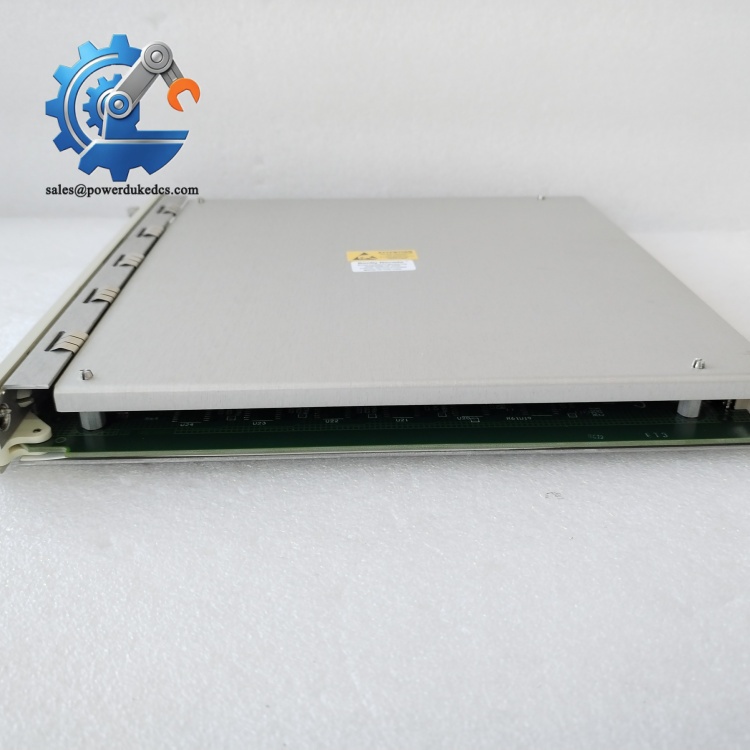
Bently Nevada 3500/65 145988-02
Installation & Configuration Guide
Pre-Installation (Estimated 12 minutes)
⚠️ Safety Reminders
- Schedule planned outage for the 3500 monitoring rack. Hot removal is not supported.
- Isolate and lock out rack main power supply.
- Keep power disconnected for minimum 5 minutes to discharge internal capacitors.
Tools to prepare:
- Anti-static wrist strap and anti-static mat
- PH1 screwdriver
- Digital multimeter
- Mobile phone for photographing sensor wiring and module layout
- Label tape for terminal marking
Preparation tasks: Export the complete rack configuration file and save backups. Take clear photos of all rear terminal wiring. Record each channel’s sensor type, alarm and danger setpoints for later restoration.
Removal of Old Module (Estimated 15 minutes)
- Confirm rack power is fully disconnected.
- Disconnect all RTD and thermocouple wires one by one, mark every cable label clearly.
- Locate the full-height temperature monitor module inside the rack slot.
- Release module locking latches, pull the card straight outward. Do not twist the circuit board, to avoid bending backplane pins.
- Inspect rack backplane connectors for oxidation, bent pins or dust. Clean contaminants with dry compressed air if necessary.
New Module Installation (Estimated 18 minutes)
- Wear anti-static protection before unpacking the module. Static discharge can damage sensitive signal circuits.
- Insert the module into the reserved rack slot, push vertically until locking latches click firmly.
- Reconnect sensor wiring strictly following photos taken during disassembly.
- Tighten terminal screws with moderate torque; avoid over-tightening to prevent terminal base cracking.
- Check no loose cables or stray hardware remain inside the rack cabinet.
Pre-power-on checklist: [ ] Module fully seated and locked into rack backplane [ ] All sensor wiring matches original layout [ ] No short circuits on signal terminals [ ] Slot filler panels installed on unused rack positions
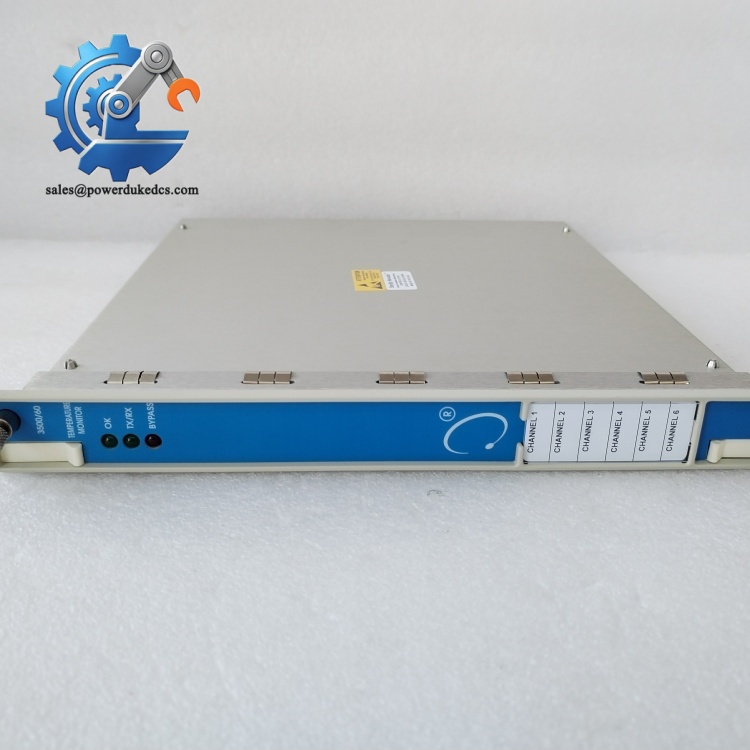
Bently Nevada 3500/65 145988-02
Power-On & Functional Testing (Estimated 35 minutes)
- Restore rack power and observe front panel LED indicators. Steady OK light means normal initialization.
- Launch 3500 Rack Configuration Software, scan rack hardware and confirm the system identifies 3500/65.
- Load saved configuration file and download all channel parameter settings to the new module.
- Verify each channel’s sensor type matches field hardware, check alarm and danger limit values.
- Monitor real-time temperature readings for 30 minutes. Confirm stable values without abnormal fluctuation or channel faults.
- Update maintenance log: record replacement date, module serial number and full test results.
Troubleshooting hints:
- No module detection: Recheck full insertion into rack backplane
- Invalid temperature readings: Verify sensor wiring polarity and channel configuration
- Persistent channel fault alarms: Inspect for short circuits or broken field sensor cables
Frequently Asked Questions (FAQ)
- Can I hot-swap the 3500/65 145988-02 temperature monitor while the rack remains powered? Not supported. Removing this module under power creates backplane noise. It may trigger machine protection alarms or temporary loss of all temperature measurements. Always arrange planned shutdown for replacement work.
- Can I mix RTD and thermocouple sensors on the same 3500/65 module? Yes. Each of the 16 channels can be individually configured for either RTD or isolated tip thermocouple. You do not need dedicated modules for different sensor types.
- Does this module work within TMR triple redundant rack setups? It supports TMR configurations. For triple modular redundancy, three identical 3500/65 modules must be installed into adjacent rack slots to enable voting logic.
- What warranty coverage do you offer for this surplus module? Every unit undergoes full bench signal testing before shipment. We provide a 12-month functional warranty. Test photos or video records can be shared upon request.
- What is the difference between 3500/60 and 3500/65? The 3500/60 only provides 6 measurement channels. The 3500/65 supports up to 16 channels. Choose the 3500/65 if you need to monitor multiple bearing temperature points within limited rack slots.
- What typical failure symptoms appear on a faulty 3500/65 module? Common issues include constant channel fault alerts, frozen temperature readings, unstable OK indicator, or failure to be detected by rack configuration software.
- Are all 145988-02 hardware revisions interchangeable? Most revisions offer direct drop-in replacement. We recommend sharing your existing rack firmware version before purchase to eliminate configuration incompatibility risks.




 Start Chat


